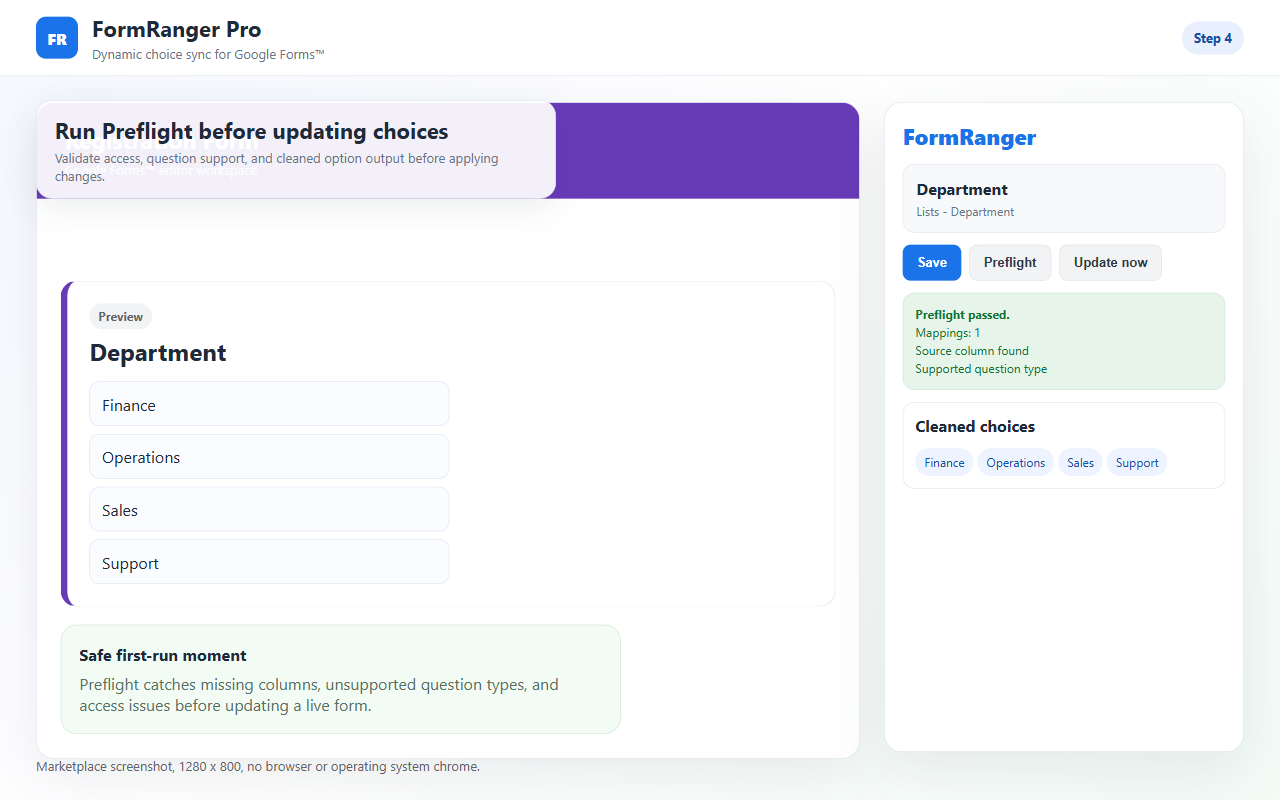
1Sheet column has clean valuessource
2Question is mapped to that columnmapping
3Preflight passes before updatecheck
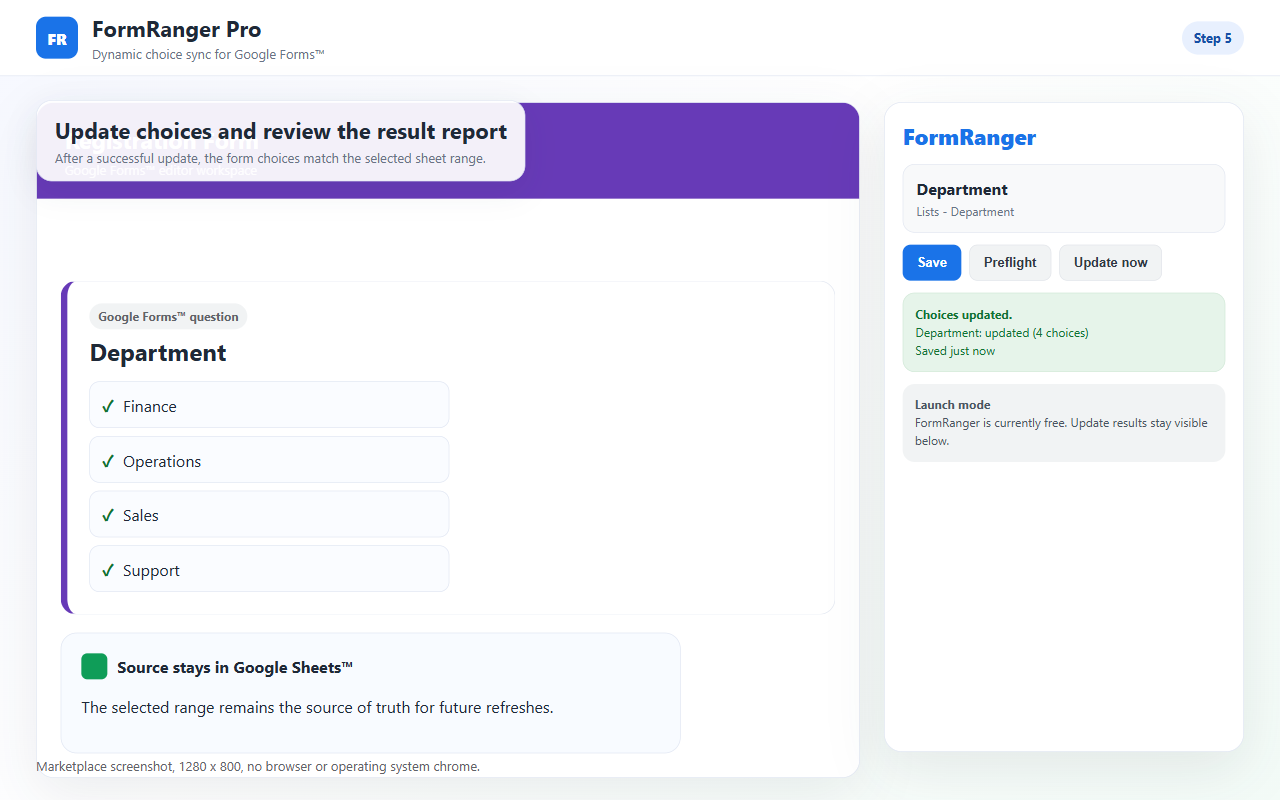
4Public preview shows new choicesverify
Google Forms dropdowns do not stay linked to a Sheets range by default. Check the source column, mapping, Preflight result, Update now report, and public respondent preview.
If the dropdown is stale, test one copied form with Alpha/Beta in Sheets. Run Preflight, review and approve the current exact choice preview, then click Update now. Confirm at least one question was updated and inspect the public respondent preview of that same copied form. For automatic updates, run Test scheduled path now and read the per-mapping ledger before repairing or recreating a trigger.
This controlled proof shows the every-6-hour or daily path using the same fail-closed checks, recording mapping-level status, and keeping five bounded recovery versions.
The privacy-enhanced YouTube player loads only after you press play. Controlled copied-form proof with synthetic data.
Follow the copied-form path from source selection and Preflight through exact diff approval, public respondent preview, scheduled-path testing, mapping health, trigger repair, and five bounded recovery versions.
FormSuite Choice Sync refreshes owner-controlled choices before respondents use the form. It is not respondent-time dependent-dropdown, booking, inventory, or payment software.
Do not jump straight to reinstalling. Most stale dropdown cases can be separated into source, mapping, update action, or preview problems.
| Symptom | Likely cause | Next check |
|---|---|---|
| Preflight fails | File, tab, column, or question mapping is invalid. | Re-select the source and mapped question. |
| Preflight passes but Update now is disabled | The current exact choice preview may still need approval. | Review the intended output and any duplicate or look-alike warnings on the copied test form, then approve that preview. If still blocked, send only redacted blocker text to support; do not bypass the guard. |
| Update now runs but nothing changes | No question was updated, source values are empty, or the wrong form copy is open. | Read the updated-question count and any skipped/error result. Verify the public respondent preview belongs to the same copied form. |
| Editor looks right but public link is stale | Preview window is old or the wrong form link is being checked. | Open a fresh respondent preview from the tested form. |
| Only some values appear | Blank rows, duplicate cleanup, formula output, or whitespace in the source column. | Clean the source column and run one copied-form update again. |
The tab, header, column, blanks, or duplicate values changed after setup.
The dropdown was deleted, duplicated, renamed, or changed to another type.
The editor can mislead you. Open the public form preview after updating.
Blank or renamed headers can point a mapping at the wrong column. Re-select the column and run Preflight.
Empty rows, whitespace-only values, or filtered-out duplicates can leave nothing to update.
If the selected source file is no longer accessible, select it again from the add-on flow.
Choose Every 6 hours or Daily, save, then use Test scheduled path now. A timed run must not bypass routing, quiz, duplicate, type, or 1,000-choice guards.
Check last attempted, updated, skipped, or safe error status for the affected mapping instead of assuming the trigger ran.
Verify trigger presence and authorization first. If a bad update occurred, restore only from one of the five bounded versions after live-form safety checks pass.
If your setup is stuck before these screens, report only the failing stage and non-sensitive warning or result label from a copied-form test with synthetic Alpha/Beta choices. Do not send screenshots, form or spreadsheet IDs, tab names, column headers, question text, source values, credentials, or respondent data.
Do not troubleshoot directly on a live respondent form.
Select the spreadsheet, sheet tab, source column, and dropdown question.
Preflight must pass. Review and approve the current exact choice preview, confirm Update now updates at least one question, and check the expected choices in the same copied form's public preview.
If an existing Form Ranger workflow stopped updating or no longer gives you a clear result, copy the form first. Keep the source Sheet unchanged, relink one question in FormSuite Choice Sync, run Preflight, review and approve the current exact choice preview, update once, and compare the public preview of that same copy. FormSuite Choice Sync is an independent FormSuite add-on and is not affiliated with New Visions Cloudlab's Form Ranger.
Manual copy/paste may be enough.
Apps Script works if you maintain IDs, triggers, and authorization.
FormSuite Choice Sync gives a mapped update flow with Preflight, Update now, and a visible result report.
Boundary Do not use a visible dropdown as proof of live inventory, paid booking, or reserved seats.
A useful setup-help request should make the failing step obvious. Send the smallest evidence that proves where the chain broke.
Whether the copied test uses one source column with synthetic Alpha/Beta choices and whether Preflight validates the selected source.
Supported question type only, whether a mapping is saved, and whether the form was copied after setup.
Preflight pass/blocked, current-preview approved/not-approved, updated-question count, and any redacted skipped/error label. A disabled button is not an executed update.
Whether the public respondent preview of the same copied form matches the synthetic Alpha/Beta choices after the update. Report match/no-match, not the actual choices.
Do not immediately rebuild the form, reinstall every add-on, or edit the live respondent form while people are using it. First reduce the problem to one copied form and two values. If Alpha and Beta do not update correctly in that copied form, the failing step is easier to find. If the copied form works, the live form likely has a mapping, source, or preview mismatch.
The Automatic update health panel separates a configured trigger from a trigger that is actually present.
Use the recorded timestamp, run source, and privacy-safe error code instead of assuming a saved schedule is running.
The repair action recreates the expected on-open or timed trigger without changing source values or mappings.
Confirmation that the copied test uses synthetic Alpha/Beta choices and whether the selected source passes Preflight; no source content is needed.
The mapped question type and whether Preflight reports a valid file, tab, column, and question.
A respondent preview check after Update now, not just the editor state.
No. A Forms dropdown stores choices inside the form.
Check the source column, mapping, access, Preflight result, current exact choice preview approval, Update now report, and public preview of the same copied form.
No. Start with a copied form and two obvious sheet values.
Saving configuration does not update choices by itself. Run Preflight, review and approve the current exact choice preview, then click Update now. Confirm at least one question was updated and verify the public preview of the same copied form.
Yes. Copied forms and duplicated response sheets are common. Confirm the form editor, add-on sidebar, and public preview are all for the same form.
Usually not first. Re-select the source on a copied form, run Preflight, review and approve the current exact choice preview, and try one update. If blocked or the public preview still differs, use support with redacted result text.
Run the scheduled path test, inspect mapping-level status and trigger health, then repair the configured trigger. Do not recreate triggers blindly or test first on a live routed form.