Install, open one copied Form, then create Alpha/Beta
Do the first test inside a Google Form you own: install Choice Sync, open a blank or copied Form, create the synthetic Alpha/Beta Sheet from the sidebar, then map one choice question. The public form below is proof to view, not a file you can configure.
Keep this guide tab open. After Marketplace installation finishes, return here, open a blank or copied Google Form, and continue with the owner path below. The success chain is install → first-run → Preflight → Update → public preview; the public proof link is only a reference and does not replace your own preview.
Do this in your own Form — no source Sheet required
Return to Google Forms after installing. Do not try to configure the public verification form.
The sidebar creates a small synthetic Sheet in your Drive, so you do not need to prepare a spreadsheet first.
Review the exact Alpha/Beta diff and approve it before Update now becomes available.
Open the public preview of your own Form. Only this proves that respondents will see the new choices.
Quick answer
Open Choice Sync inside a copied or blank Form, choose “Create Alpha/Beta Sheet,” link one dropdown or multiple-choice question, run Preflight, click Update now, then open that Form’s public preview.
The CSV contains synthetic duplicates, a case/whitespace variant, and a blank row so Preflight has something real to diagnose. Import it into a copied test Sheet; do not use live respondent data.
Why this test matters
A saved mapping is not enough evidence that respondents received the intended choices. Use one copied form, one source column, one supported question, one update, and one public preview check to verify the complete path safely.
FormSuite Choice Sync can read the selected Sheet source, validate the mapping, update the selected question, and show the changed choices to respondents.
It does not prove booking capacity, payment logic, live dependent dropdown behavior, or every mapping in a complex production form.
Paste a ready-made test column
Start with the same obvious values used in the verified test. Paste this into cell A1 of a blank Google Sheet, then select that column in FormSuite Choice Sync.
Test choice
Alpha
Beta
Download the same values as a small CSV, open it in Google Sheets, and use the first column as the source.
Try the same test with a school course list
This synthetic starter gives teachers and school operators a familiar first task without using student names or live enrollment data. Import it into a blank Google Sheet, map the Course option column to one copied Form question, then complete Preflight, Update now, and public preview.
Course option
Robotics Club
Drama Workshop
Yearbook Team
Use this only for the first test. Replace it with the school-owned source Sheet after the public preview succeeds.
Boundary: Choice Sync updates owner-managed Form choices. It does not enforce enrollment capacity, reserve seats, or create respondent-time dependent dropdowns.
Complete one Alpha/Beta update
Use a copied form and mark each step as you verify it. This checklist is saved in this browser.
Not all checks passed yet? Use the focused troubleshooting path before touching a live form.
Troubleshoot this testYour public preview is the success proof. An honest Marketplace review is now appropriate.
Open the review-after-success pageWhere did the first test stop?
Choose the first checkpoint that does not match what you see. This records only the checkpoint label, not any form, spreadsheet, question, or choice content.
Select one checkpoint to see the next safe action.
Keep private data private: do not send a form ID, spreadsheet ID, question text, source values, or respondent data. A stage number and the non-sensitive warning/result label are enough.
Use this exact test data first
| Part | Recommended first value | Why |
|---|---|---|
| Google Form | A copied or internal form | Prevents an unfinished test from affecting real respondents. |
| Question type | One dropdown or multiple-choice question | Easiest choice type to inspect in the public preview. |
| Sheet column | Header: Test choice; values: Alpha, Beta | Obvious values make it clear whether the update actually happened. |
| Success proof | Preflight passed, Update now updated, public preview changed | All three are needed; one missing step means the test is incomplete. |
Visual proof points
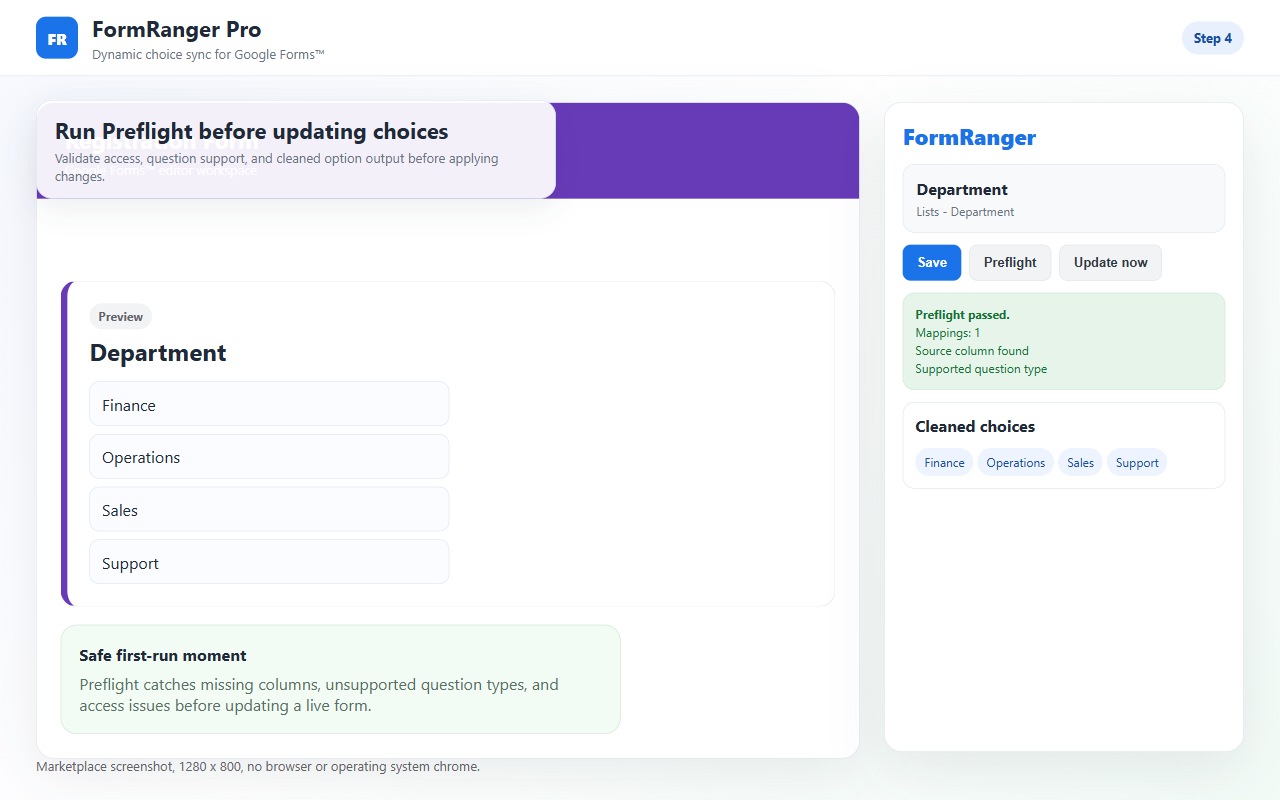
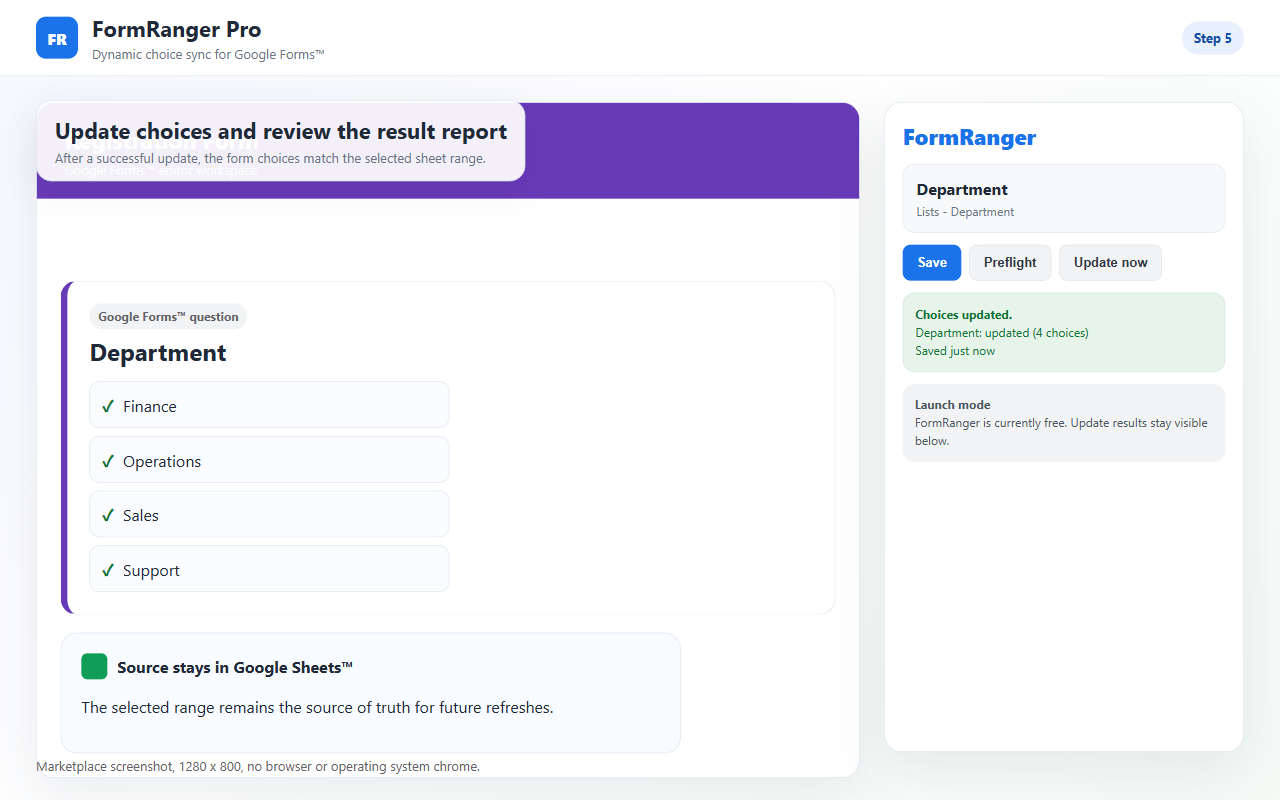
The public Alpha/Beta test form was verified on July 12, 2026: Preflight passed, Update now reported one updated question with two choices, and the respondent-facing dropdown displayed Alpha and Beta.
Run the same test after each important change
Repeat the copied-form check when you copy the form, change the Sheet tab, rename a source column, change a question type, or replace the public form link in a campaign. Those are the moments where a setup can look saved but no longer point at the thing respondents will use.
Run the test before you post the form link, email respondents, or add the form to a website.
Run it again after major list cleanup, renamed headers, formula changes, or tab changes.
Record the result for support and reviews
For your own private note, record the test date and whether Preflight, Update now, and public preview passed. For support, share only checkpoint 1, 2, or 3 plus the non-sensitive warning/result label. If it succeeds, the three completed checks become the proof that a Marketplace review is based on real use rather than hope.
Pass criteria
The selected file, tab, column, and question mapping are valid.
The result says a question was updated, not only saved.
The public form shows Alpha, Beta, or your real sample values.
The workflow syncs choices before use; it does not reserve inventory during a response.
If it fails
Check the sheet tab, column header, empty rows, duplicate values, question type, and Google permissions. If Update now reports skipped or error, do not send live respondents yet.
Re-select the spreadsheet, confirm the sheet tab, and make sure the mapped question still exists in this form.
Look for empty source values, duplicate-only values, an unsupported question type, or a mapping saved against a copied form.
Open a fresh public preview window after the update. If it still shows old choices, report checkpoint 3 and the non-sensitive result label; do not send respondent data or source values.
Confirm you opened FormSuite Choice Sync inside the same Google Form whose public link you are checking.
FAQ
Can I skip the copied-form test?
No. The copied-form test is the fastest way to separate install/setup issues from production form risk.
What should I include in a setup-help request?
Reply with checkpoint 1, 2, or 3 plus the non-sensitive warning/result label. Do not include a form ID, spreadsheet ID, question text, source values, or respondent data.
When is it safe to leave a review?
After Preflight passes, Update now reports at least one updated question, and the public preview shows the expected Sheet values.
Does the test cover live capacity?
No. FormSuite Choice Sync updates choices; it does not reserve inventory, sell seats, or remove a choice while someone is filling out the form.