Sync Google Forms Dropdowns and Choices from Google Sheets
FormRanger maps a selected Google Sheets column into a Google Forms dropdown, multiple-choice, checkbox, or grid question. Auto-update choices without maintaining Apps Script: start with one question, run Preflight, update once, then check the public respondent preview.
Free during public launch. Tested on the real Google Forms add-on path: sidebar mapping, save, Preflight, Update now, and respondent preview.
If you are deciding whether to install, use the copied-form first-run test before touching a live form. The useful proof is simple: Preflight passes, Update now reports a changed question, and the public preview shows the expected Sheet values.
Where are you now?
Choose the current state and continue with one safe next action. Troubleshooting users stay on the test path; the review path is never shown here.
Pick the Google Forms choices issue you actually have.
External questions rarely start with a product name. They usually start with a dropdown, a Sheet source list, a stale form preview, or a dependent-dropdown expectation. Use the matching path before installing anything on a live form.
Dropdown from a Sheet
You have one Google Sheets column and want one Google Forms dropdown or multiple-choice question to use those values.
No Apps Script owner
You need a repeatable no-code path instead of maintaining triggers, form IDs, question IDs, and permissions yourself.
Choices not updating
A mapping was saved, but the public respondent preview still shows old values or no values.
Dependent dropdowns
You need to separate owner-controlled choice refresh from respondent-time filtering while someone is filling out the form.
Long dropdown list
The form editor is hard to manage because a dropdown has dozens or hundreds of options that should live in Sheets.
Send each searcher to the exact choice-sync guide.
FormRanger traffic usually arrives with a question type, not the product name. Start with the matching guide, then run the copied-form first-run test before installing on a live form.
Import any choice list
Use this when the intent is broad: Google Forms choices from a Google Sheets source list.
Multiple choice from Sheets
Map one Sheet column to one single-choice Google Forms question and verify the public preview.
Checkbox list from Sheets
Use a spreadsheet column as the source for a respondent-facing multi-select checkbox list.
Grid choices from Sheets
Refresh grid row or column labels from Sheets before respondents use the form.
Google Forms choices from Sheets, not a brand-name shortcut.
Use FormRanger when the real job is keeping Google Forms dropdown, multiple-choice, checkbox, or grid choices aligned with a Google Sheets source list. The search intent is the task: make the form show the current spreadsheet values before respondents use it.
Dropdown and multiple choice
Refresh sessions, departments, locations, products, or categories from one clean Google Sheets column.
Checkbox lists
Update multi-select choices before launch without maintaining Apps Script triggers, form IDs, or custom authorization.
Grid choices
Keep grid row or column labels aligned with the spreadsheet source before sharing the form link.
Why Google Forms choices from Sheets usually fail.
Most failed first runs are not mysterious. They come from a stale mapping, a changed Sheet column, a copied form, or checking the editor instead of the respondent-facing preview.
The Sheet column moved or changed.
A renamed header, inserted blank row, duplicate-only values, hidden cleanup column, or changed sheet tab can make the mapping point at the wrong data.
The form question no longer matches.
If the dropdown was duplicated, deleted, renamed, or changed from dropdown to another question type, re-select the exact question before updating.
A saved mapping is not an update.
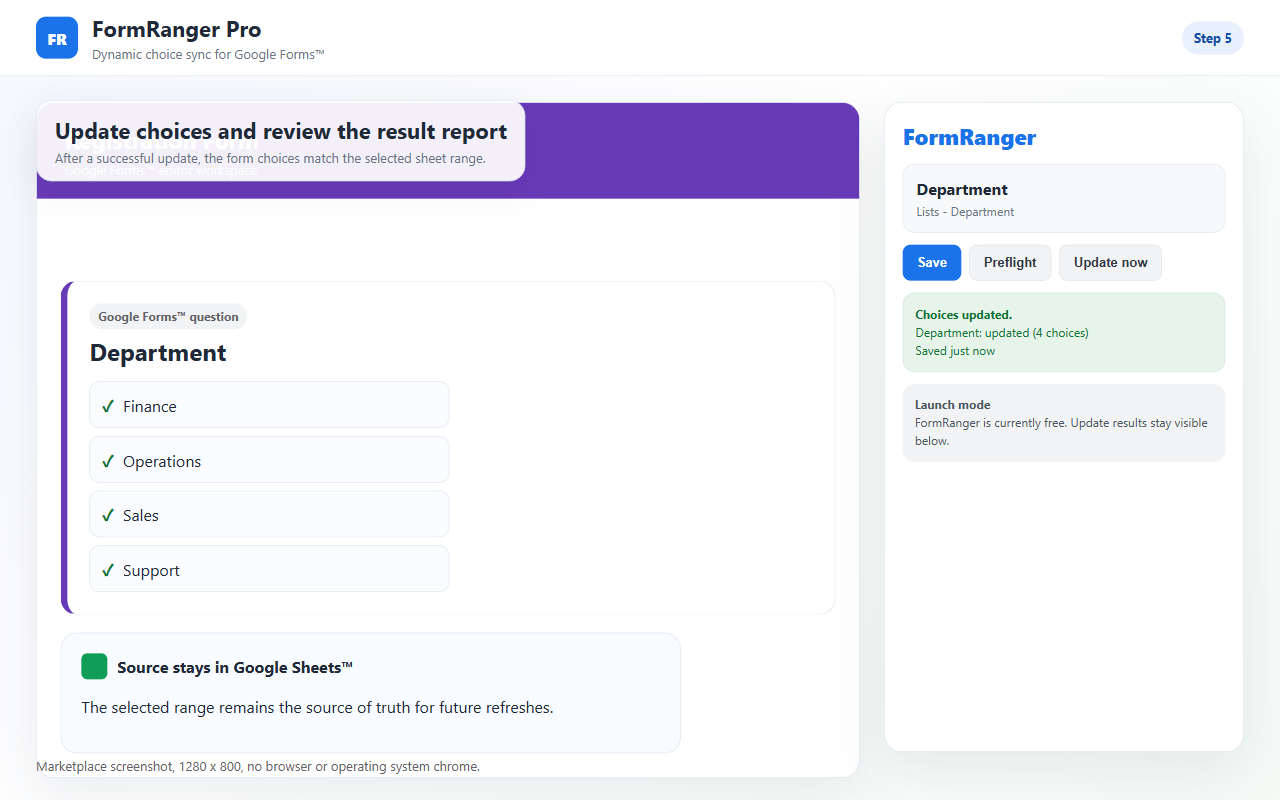
The useful result is Update now reporting that a question changed. Saving configuration only proves the setup was stored.
The editor is not the final proof.
Always open the public respondent preview after Update now. That is the surface respondents will see.
What the first-run path looks like.
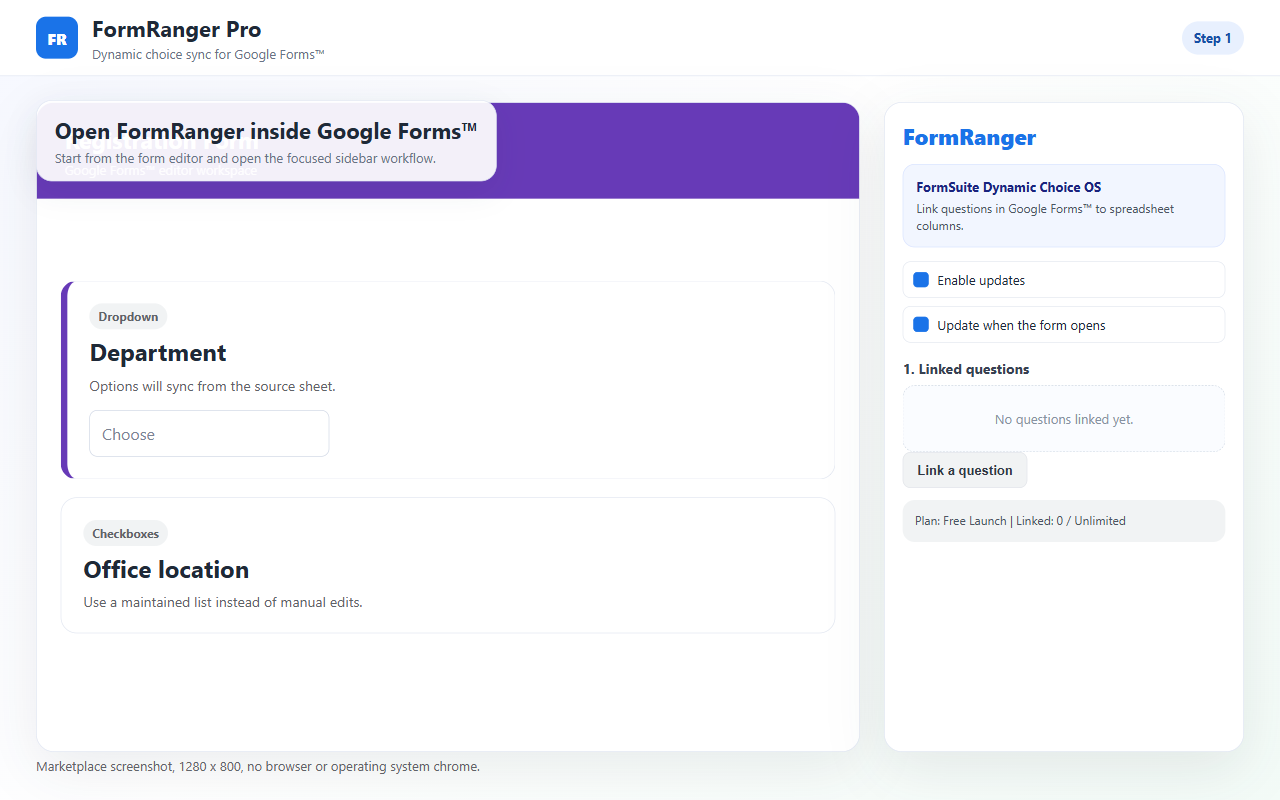
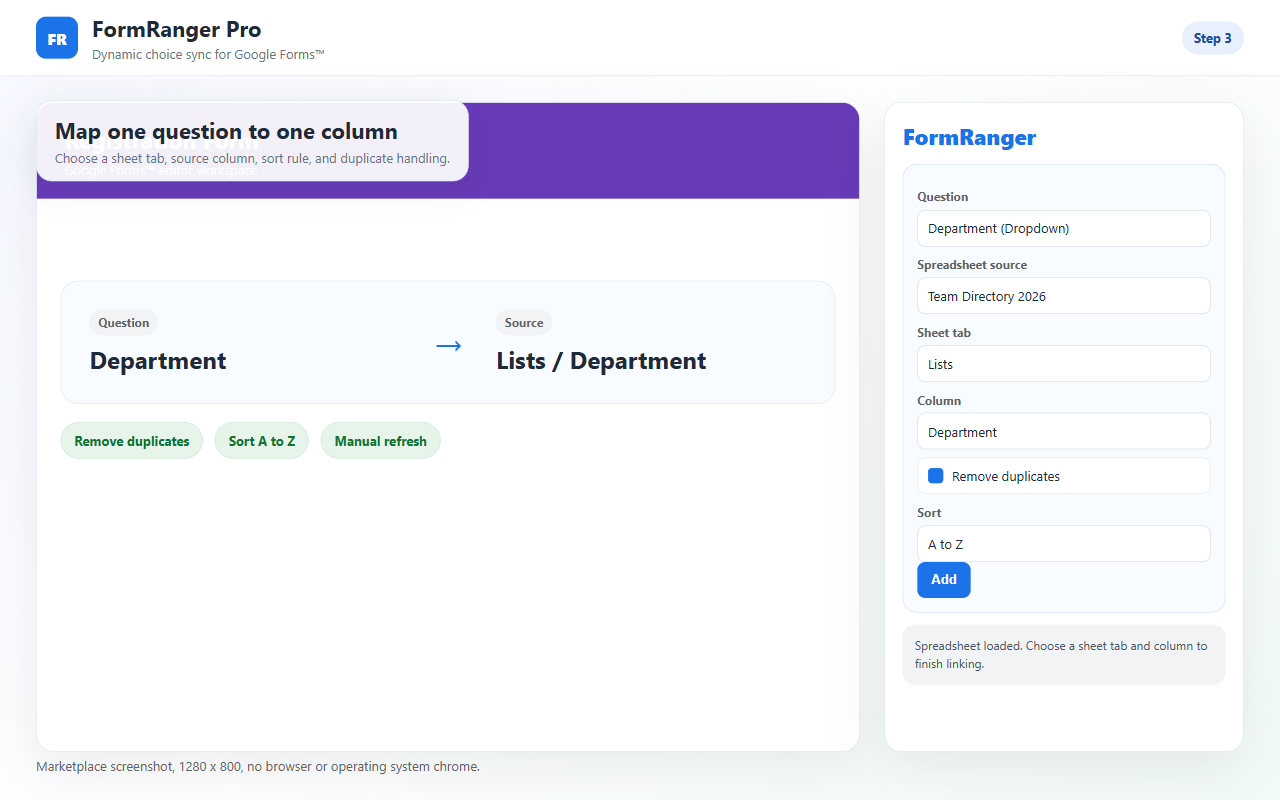
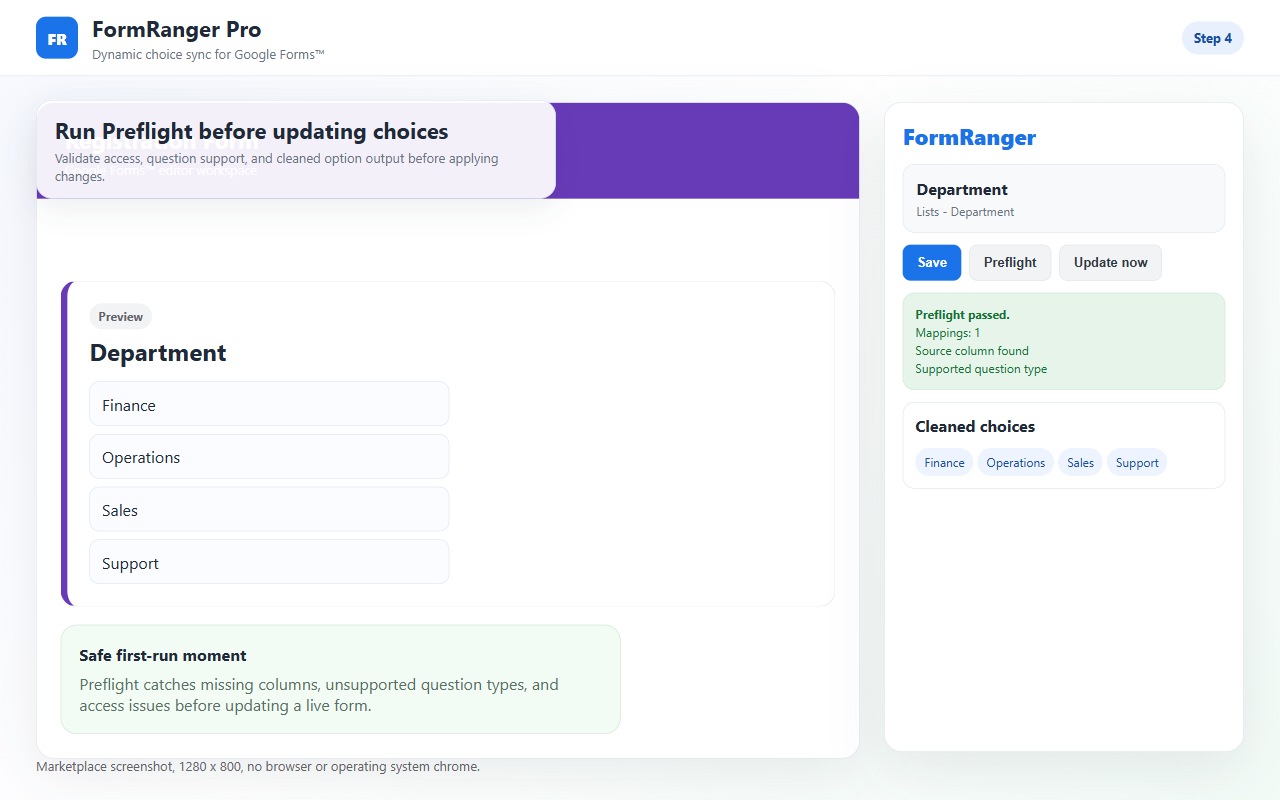
These screenshots are from the FormRanger setup flow: open the add-on, select the Sheet source, map one question, run Preflight, and update the form choices.


Manual paste vs Apps Script vs FormRanger.
The right option depends on how often the list changes and who is responsible for maintaining the workflow.
| Path | Good when | Main risk |
|---|---|---|
| Manual paste | The list changes rarely and one owner can update it before launch. | Easy to forget, no repeatable check, and no source-of-truth proof. |
| Apps Script | You have someone who will own code, triggers, IDs, permissions, and errors. | Breaks quietly when form IDs, question IDs, or authorization change. |
| FormRanger | Sheets is the source list and the owner wants a no-code update flow with Preflight. | Still needs a copied-form first run and public preview check before launch. |
Do one small update before trusting a live form.
Use a copied form, one supported choice question, and one Sheets column with Alpha and Beta. A successful first run means Preflight passes, Update now reports an updated question, and the public preview shows the expected values.
Open the add-on inside the Google Form you want to update.
Check file access, sheet tab, column, and question mapping before changing choices.
Open the respondent-facing preview after Update now, not only the editor.
Answer the install questions before changing a live form.
Most Google Forms operators do not install another add-on until three questions are answered: will it touch the right file, will it actually update the public form, and what happens if the setup is wrong?
Selected-file access
FormRanger uses a user-selected spreadsheet flow for mappings, then reads that selected source when you update choices.
Preflight before update
Check the file, sheet tab, source column, and supported question type before changing the form choices.
Respondent preview proof
The useful success signal is not a saved mapping. It is the public preview showing the expected Sheet values after Update now.
Pick the exact Google Forms dropdown problem.
These pages separate four common searches: updating a dropdown from Sheets, avoiding Apps Script, troubleshooting stale choices, and understanding dependent dropdown limits.
Auto update from Sheets
Use when the Sheet is the source list and you want a repeatable owner-controlled refresh.
No Apps Script
Use when you want Sheets-backed choices without maintaining triggers, form IDs, or script permissions.
Not updating
Use when a saved mapping exists but the respondent-facing dropdown still shows old choices.
Dependent dropdown limits
Use when you need to separate live respondent-time filtering from owner-controlled Sheets choice sync.
Long dropdown list
Use when the editor becomes hard to manage because the option list is large and better maintained in Sheets.
Not a booking or inventory lock.
FormRanger updates Google Forms choices from selected spreadsheet data before respondents use the form. It does not reserve seats, process payments, lock inventory, or filter options while a respondent is already filling out the form. If you need live respondent-time logic, a Google Form is usually the wrong surface.
Frequently asked questions
Which question types work?
Dropdown, multiple choice, checkbox, multiple-choice grid, and checkbox grid choices.
What should I test first?
Use one copied form, one supported question, and one Sheets column with Alpha and Beta. Run Preflight, update, then check the public respondent preview.
Can it handle dependent dropdowns?
Use FormRanger for spreadsheet-backed choice refresh before respondents use the form. It is not respondent-time conditional filtering.
Why did the choices not change after setup?
Most often the mapping was saved but Update now was not run, the source column moved, the question was changed or duplicated, or the public preview was not refreshed after the update.
Should I use this on a live form first?
No. Use a copied form first so you can verify Preflight, Update now, and public preview without risking real respondents.