Import Google Forms choices from Google Sheets
FormSuite Choice Sync imports supported Google Forms choice lists from a selected Google Sheets column. Use it when the option list already lives in Sheets and you want a quick, no-code update path.
Quick answer
Put choices in one clean Sheets column, map one form question in FormSuite Choice Sync, run Preflight, click Update now, then check the public preview.
Import does not mean a live native link
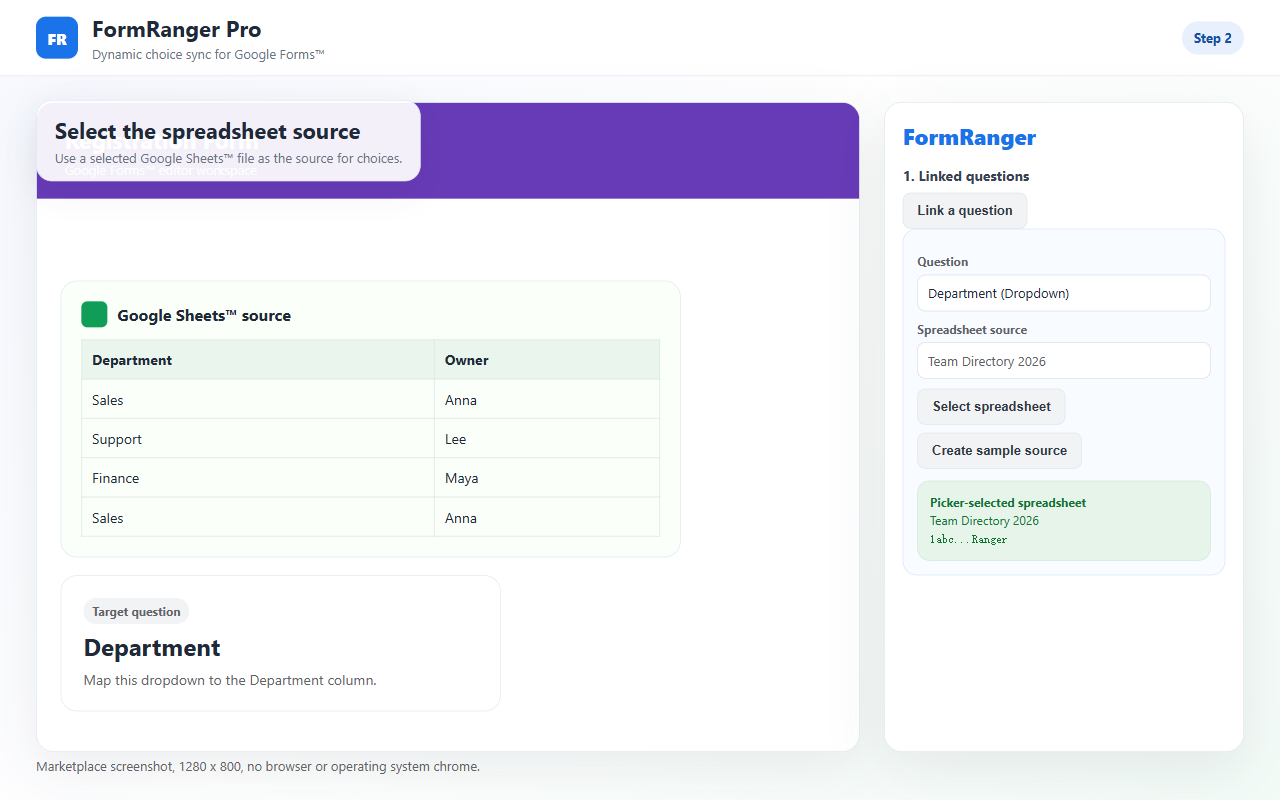
Google Forms stores its own choices inside the form. A Sheets column can be the source of truth, but the form still needs an owner-controlled update step. FormSuite Choice Sync is for that repeatable import/update path: select the source spreadsheet, map a supported choice question, run Preflight, then update the form choices.
One visible column with a stable header, clean values, and no hidden manual edits between the source and final list.
A mixed sheet with helper formulas, blank rows, renamed tabs, or values that are still being edited during the test.
First-run path
- Create a copied form with one choice question.
- Use a small Sheets column with values like Alpha and Beta.
- Select the spreadsheet, sheet tab, and column in FormSuite Choice Sync.
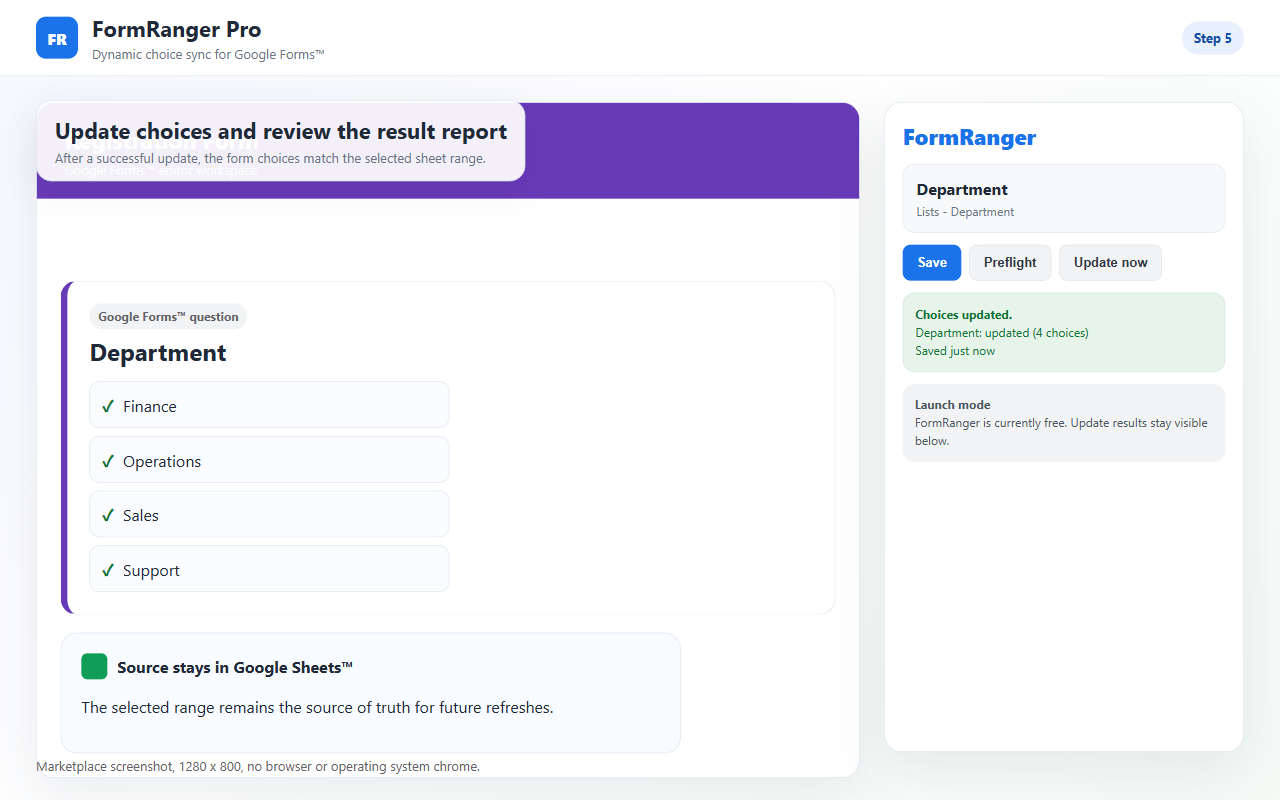
- Run Preflight and Update now.
- Open the public preview and confirm the choices changed.
What to verify before using a real form
Common import failure causes
If the source header moved or was renamed, re-select the column and run Preflight again.
Mappings belong to a specific form context. If you copied the form, open FormSuite Choice Sync inside the copy and map the question again.
The import updates choices before respondents answer. It does not hide choices per respondent or enforce live capacity.
Do not rely on the editor. Open the public preview after each import to verify what respondents will see.
Import checklist for common list types
| List type | What to clean first | Best first test |
|---|---|---|
| Event sessions | Remove canceled sessions and make names unique enough for respondents. | Import two fake sessions into a copied form and preview the dropdown. |
| Departments or teams | Use a stable department name column rather than an internal code column. | Import one dropdown question and confirm the order is readable. |
| Product or service options | Separate display labels from price, stock, or internal SKU helper columns. | Import labels only, then check that respondents do not see helper data. |
| Checkbox lists | Remove blank values and duplicate wording before the update. | Import two or three values so the multi-select preview is easy to inspect. |
How to keep imported choices trustworthy
After the first import works, treat the source Sheet as the operational record. Use one final display column for the options that respondents should see, and keep helper notes, internal IDs, pricing, stock counts, and cleanup formulas outside that mapped column. When someone edits the list, run Update now again and check the public preview before telling users the form has been refreshed.
Check whether the source tab, column header, and question still match the mapping created during the first-run test.
Open the public respondent preview, not only the editor, and confirm the visible choices match the cleaned Sheet list.
Good fit
Staff, locations, rooms, departments, or team lists.
Sessions, tracks, workshops, or categories that change before launch.
Product names, item labels, package types, or service options.
Sort and remove duplicates before choices appear in the form.
Boundary
FormSuite Choice Sync updates choice lists from selected Sheets data. It is not a booking system, payment workflow, inventory lock, or live dependent-dropdown engine. If the option must disappear the moment someone chooses it, use a different workflow.
FAQ
Can Google Forms import choices from Sheets natively?
Google Forms does not keep a native live link to a Sheets range. You can paste manually, write Apps Script, or use an add-on update flow.
Which question should I import first?
Use one copied form with one dropdown or multiple-choice question and two test values such as Alpha and Beta.
Why did only some choices import?
Check blanks, duplicate values, whitespace, formula output, and whether the selected column is the final cleaned list.
When should I ask for support?
Ask after you know the selected spreadsheet, tab, column, mapped question type, Preflight result, Update now result, and public preview result.
Can I import from multiple columns?
For the first run, use one final display column. If you need several lists, prove one mapping first, then add more questions one at a time.
Can I import a formula-generated list?
Yes, if the mapped column shows the final clean values. Avoid mapping helper formulas that still contain blanks, codes, or intermediate calculations.
Should I update while people are answering?
Do not rely on mid-response changes. Update before launch or between response windows, then verify the public preview before sending people back to the form.