Good fit
Simple approve/reject decisions
Leave requests, access requests, event applications, resource requests, and internal operational approvals.
FormFlow sends a reviewer email for a Google Forms submission, lets the reviewer approve or reject, and records the decision status in the linked Google Sheet.
To approve or reject Google Forms responses by email, collect the request in Google Forms, connect the linked response sheet, add approvers in FormFlow, run Preflight, and confirm one reviewer decision updates the sheet.
Email approval is useful when reviewers already live in their inbox and the workflow needs a simple decision, not a full workflow dashboard. The Google Form collects the request, the email gives the reviewer context, and the linked response Sheet becomes the audit record.
Leave requests, access requests, event applications, resource requests, and internal operational approvals.
Procurement, expense systems, legal review, ticket queues, compliance workflows, or anything needing a full dashboard and SLA rules.
A respondent submits the Google Form and the response lands in the linked Google Sheet.
FormFlow sends the approval request to the configured reviewer email address.
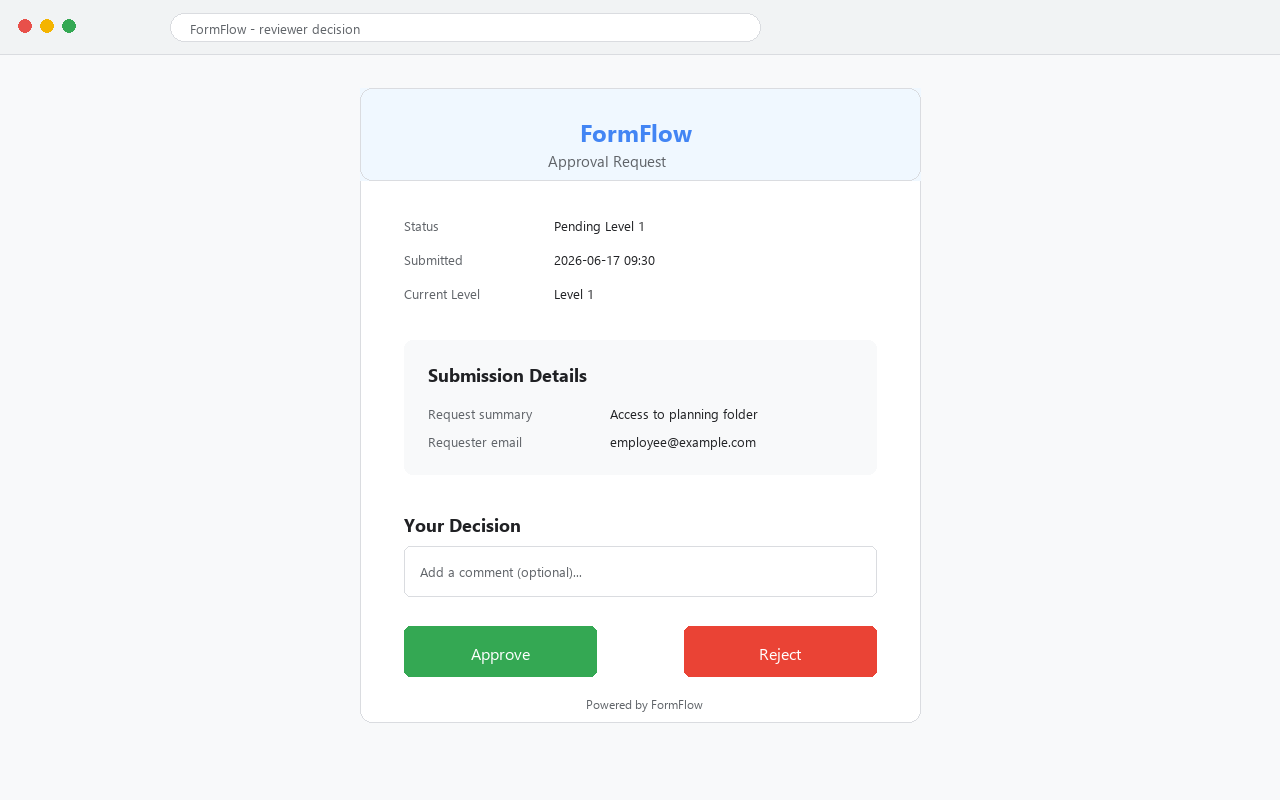
The reviewer opens the decision link and chooses approve or reject.
The linked response sheet shows the decision status so operators can track the request.
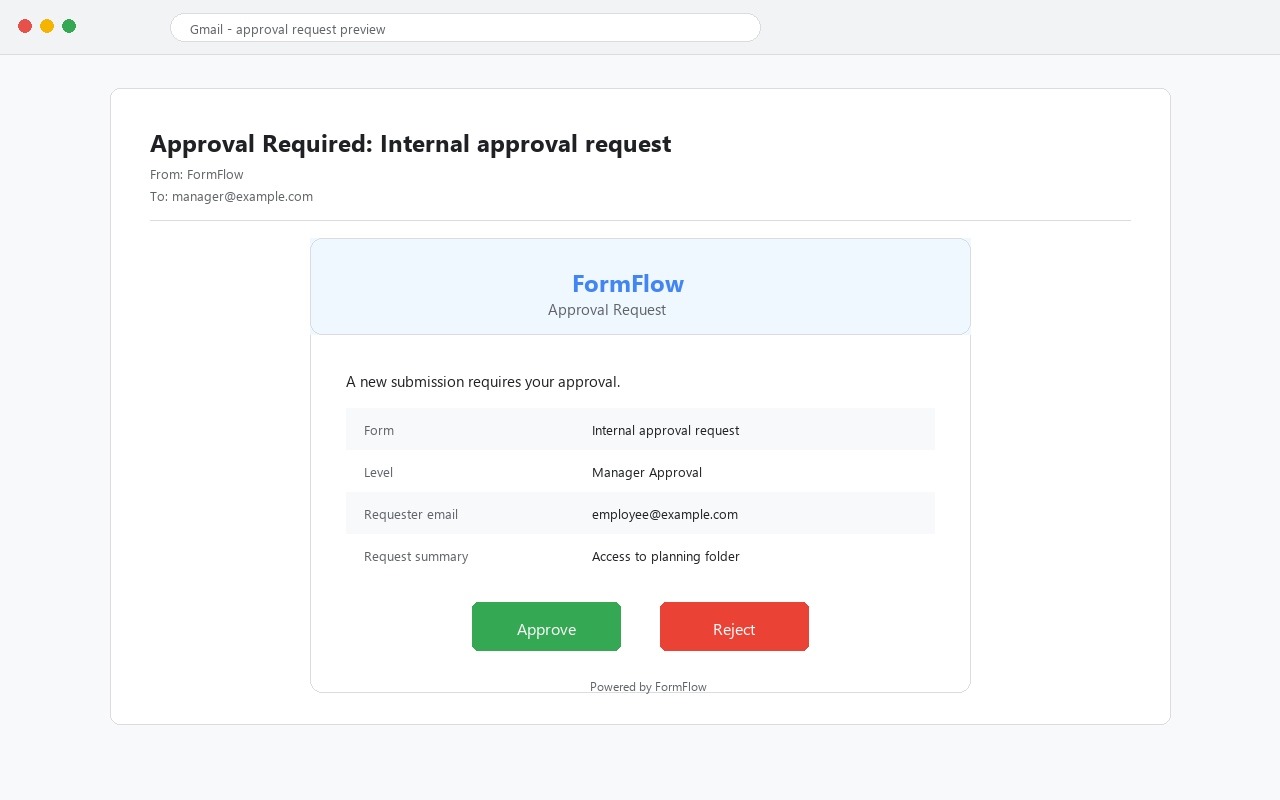
Name, email, team, or other identifier so the reviewer knows who submitted the form.
The amount, date, access request, event choice, document, or reason that makes the decision possible.
A clear approve or reject path for the intended reviewer account.
A linked response Sheet status so operators can see Pending, Approved, or Rejected after the email action.
Check the approver address, spam folder, Workspace mail restrictions, and whether Preflight showed any send-mail warning.
Re-select the linked response spreadsheet in FormFlow. Duplicated test files can make this easy to miss.
Ask the reviewer to use the intended Google account and send the decision-link error screenshot to support.
Start with one reviewer first. Add more levels after the simple path is proven end to end.
| Problem | Check first | Evidence for support |
|---|---|---|
| Email did not arrive | Approver address, spam folder, Workspace mail restrictions, and Preflight result. | Preflight text plus inbox/spam search result. |
| Email has wrong context | Whether the Google Form collects enough fields for the reviewer to decide. | Example test submission and email screenshot. |
| Decision link fails | Reviewer is signed into the intended Google account. | Decision page screenshot and reviewer account context. |
| Sheet status does not change | The selected response Sheet belongs to the tested form. | Linked Sheet name, decision result, and status column screenshot. |
Use a test request that is obvious to the reviewer: a fake requester, a clear item, and a decision that does not require policy judgment. The goal is not to approve a real business case. The goal is to prove email delivery, decision link behavior, and Sheet status write-back in one controlled run.
Requester: Test User. Request: Access to Demo Folder. Reason: First-run approval test. Reviewer: one internal account you can check.
A real purchase, confidential HR request, or multi-person decision before you know whether the approval email and Sheet status work.
FormFlow is a focused Google Forms approval add-on. It is not a procurement platform, expense system, CRM, ticketing system, compliance system, or legal workflow suite. Keep the first workflow small and easy to audit.
FormFlow sends a reviewer email with a decision path. Test with one internal reviewer first to confirm the link and account context work.
The final approval status should be written to the linked Google Sheets response file so the operator has a visible record.
Check Preflight, the reviewer address, spam folder, and Workspace mail restrictions before adding more approvers.
Start with one small approval workflow first. If you need procurement, ticketing, SLA, or compliance features, use a broader workflow platform.