Route Google Forms submissions for approval.
FormFlow is a Google Workspace add-on that sends reviewer emails, captures approve/reject decisions, and writes approval status back to the linked response sheet.
Use FormFlow for focused approval routing.
Keep the workflow small: one form, one linked response sheet, one approval process, and a clear decision result.
Internal requests
Route leave, purchase, event, or operations requests to a reviewer.
Reviewer decisions
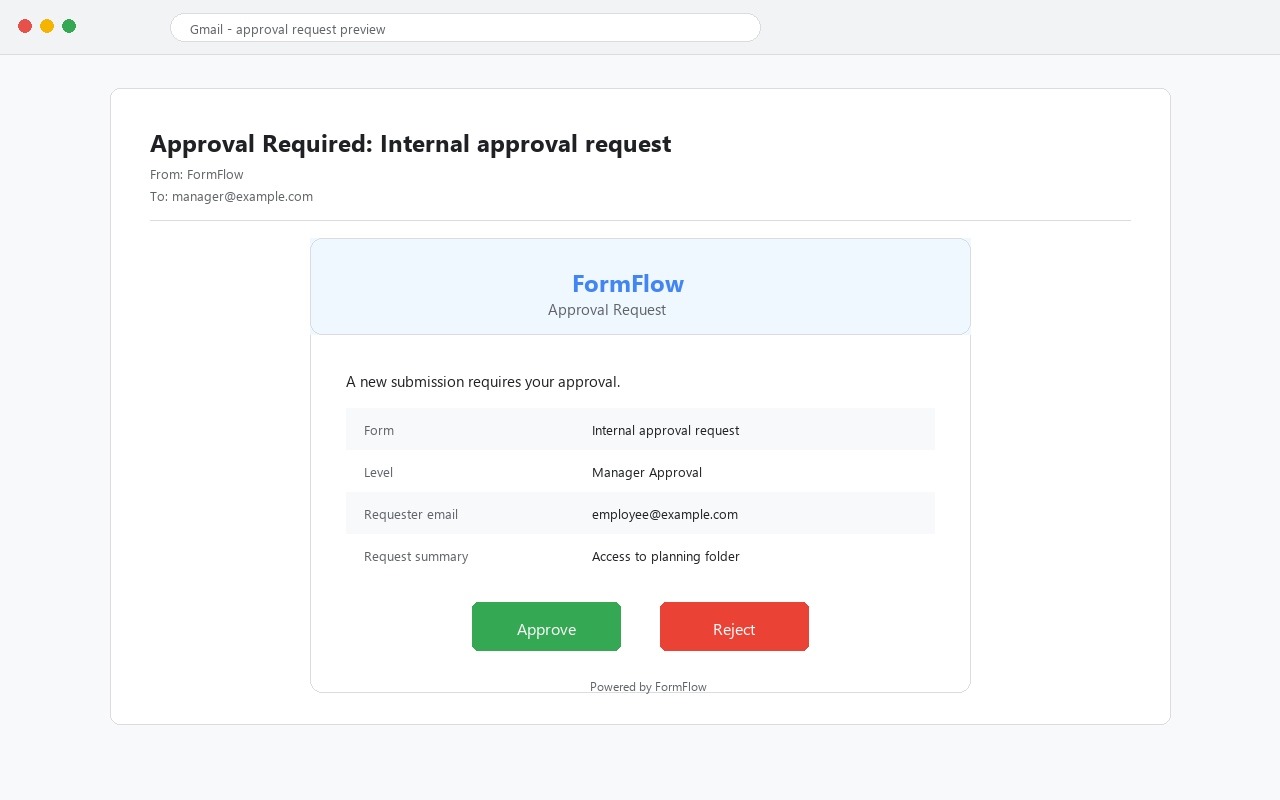
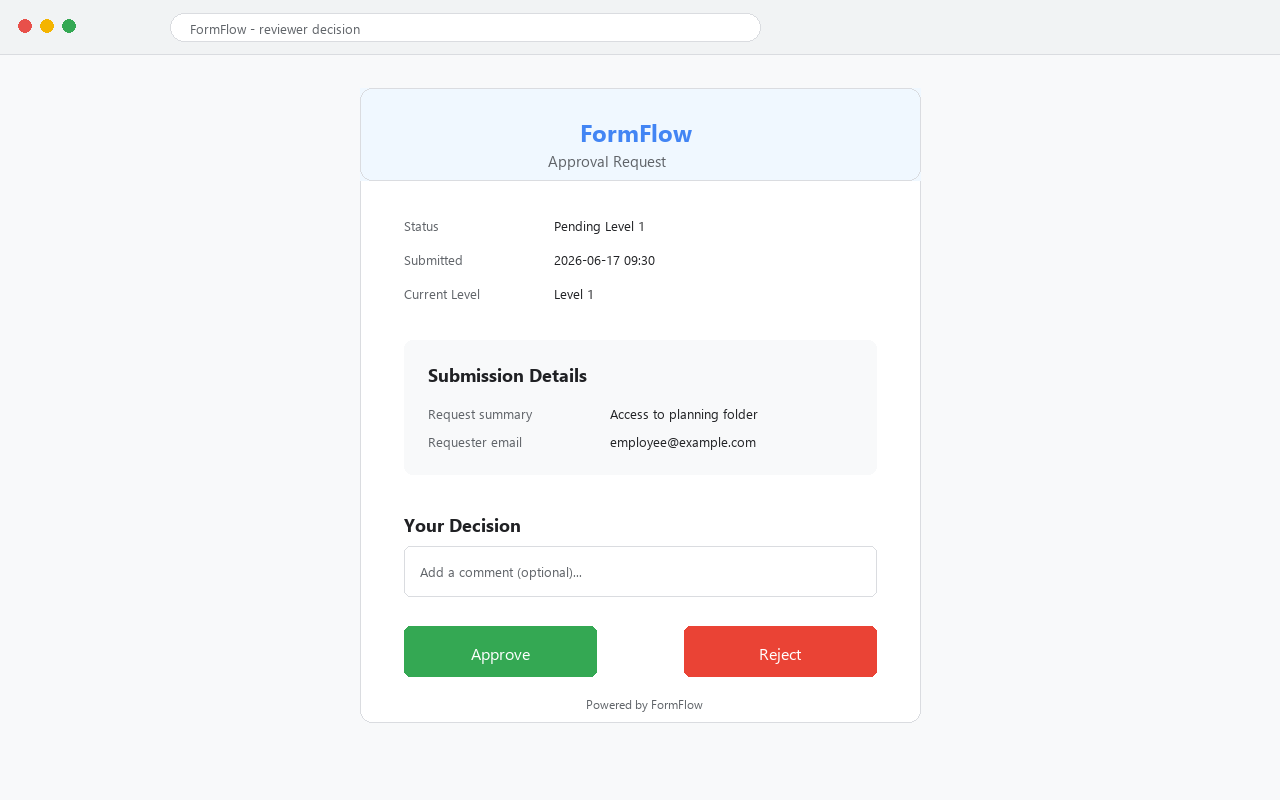
Send an email with approve/reject actions instead of forwarding each response by hand.
Sheet status
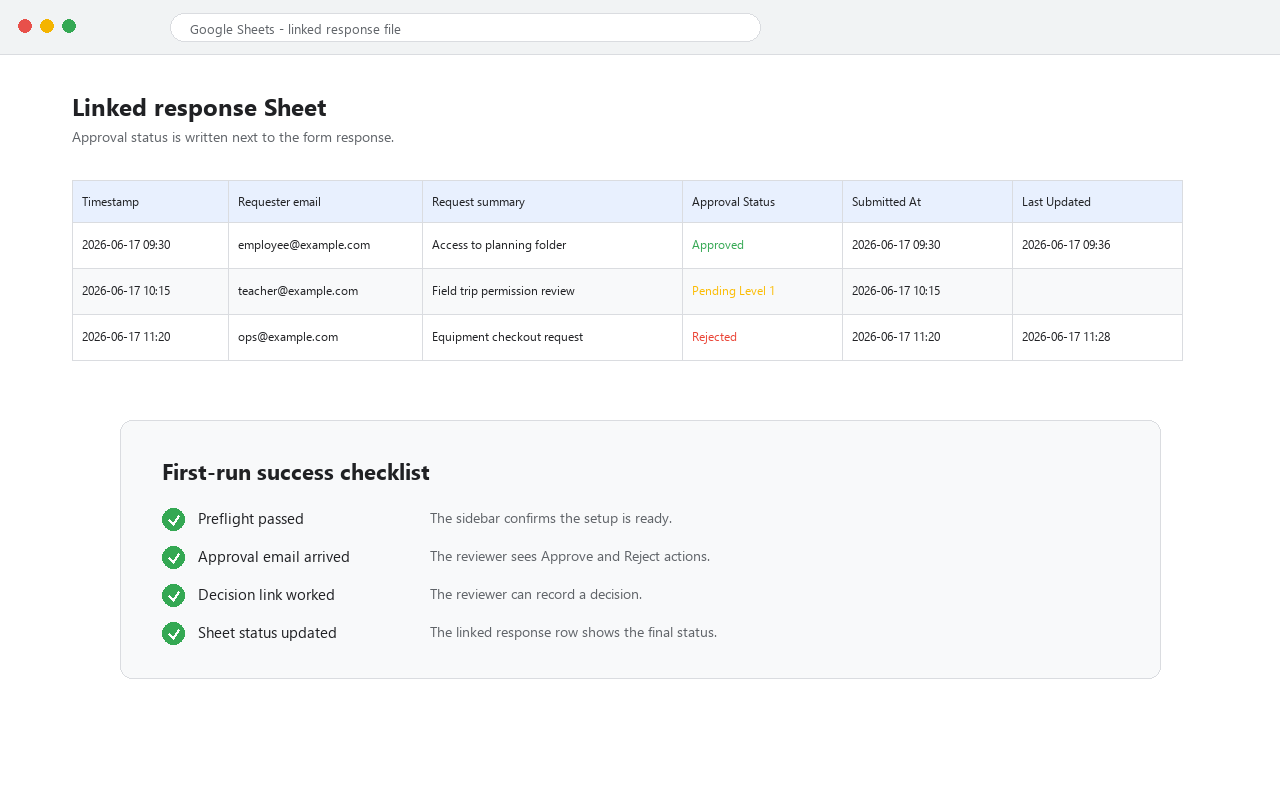
Keep the linked Google Sheet as the record of request status and review history.
First-run path
Do this before sending real respondents into an approval workflow.
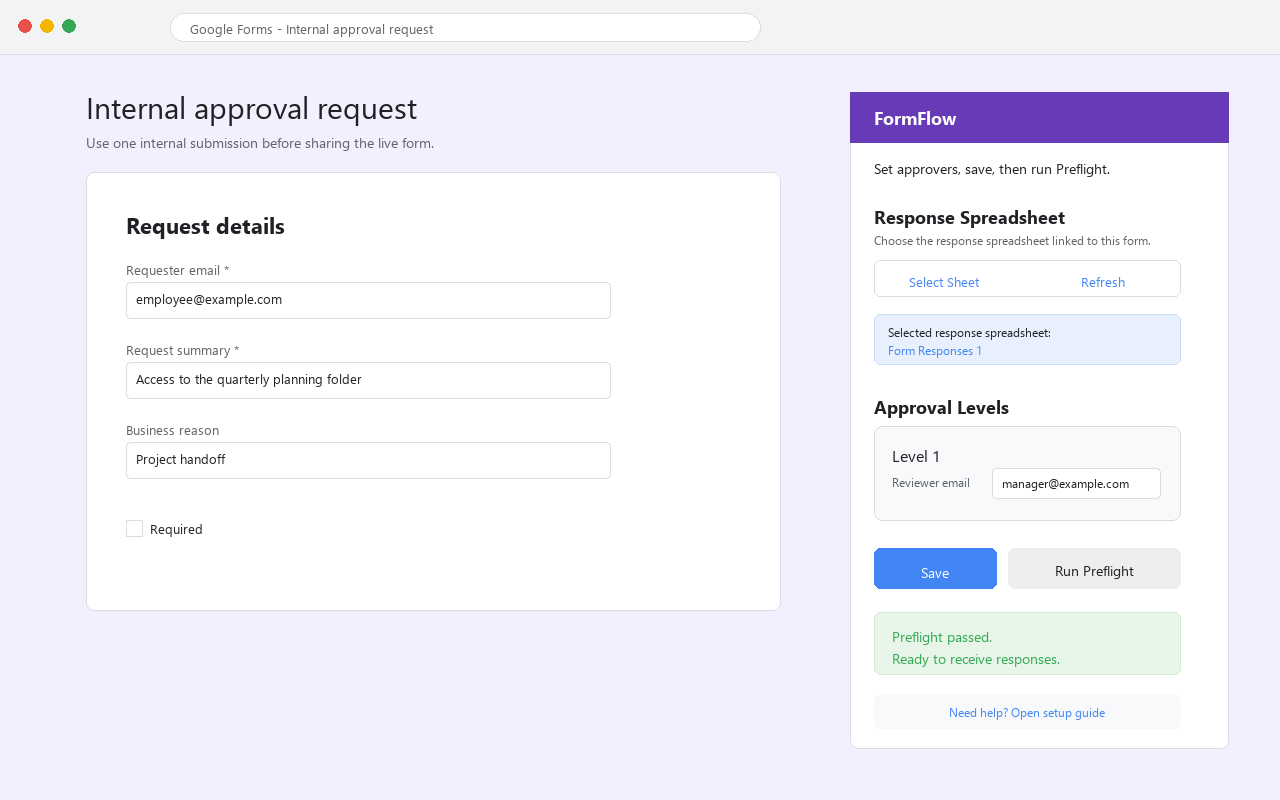
Open the add-on in the target form.
Install from Google Workspace Marketplace, then open the Google Form that owns the approval process.
Select the linked response sheet.
Use the Picker flow so FormFlow can write approval status to the right response spreadsheet.
Add one approver first.
Start with one internal reviewer email and a simple approve/reject status before adding more people.
Run Preflight and submit one test response.
Confirm the reviewer email arrives, the decision link works, and the linked Sheet status updates.
Boundaries
FormFlow is for lightweight Google Forms approval workflows. It is not a full procurement system, ticketing platform, CRM, or enterprise compliance suite.
- Privacy and permissionsPlain-English context for the form, file, sidebar, and email permissions used by the approval workflow.
- SupportSend the form context, failing step, and screenshot when Preflight or email delivery does not match.
- Review after successAsk for an honest Marketplace review only after the first approval test works.
FormFlow guides
Pick the page that matches your next step.
Set up the approval path from a Google Form submission to a reviewer decision.
Open guideUse one copied workflow, one approver, Preflight, and one internal test response.
Open checklistUnderstand the approval email, decision link, and linked-sheet status update.
Open email guideFrequently asked questions
Can Google Forms approve submissions natively?
Google Forms can collect requests, but it does not provide a full approve/reject workflow with reviewer emails and linked-sheet approval status by itself.
Where does FormFlow store approval status?
FormFlow writes status to the linked Google Sheet so operators can review the workflow record next to the form responses.
What should I test first?
Use one copied form, select the linked response sheet, add one internal approver, run Preflight, and submit one test response.