Best fit
Lightweight operational approvals
Use it for leave requests, access requests, event applications, resource requests, and internal submissions that need one clear decision path.
A Google Forms approval workflow routes each submission to a reviewer, sends an approval email, records approve/reject decisions, and updates the linked Google Sheets response file.
Use Google Forms for the request, the linked Google Sheet for the workflow record, and FormFlow for reviewer emails, approve/reject links, Preflight, and approval status tracking.
Use it for leave requests, access requests, event applications, resource requests, and internal submissions that need one clear decision path.
Do not use it as a procurement suite, ticketing system, CRM, legal approval platform, or compliance system.
A broad approval workflow page is hard to win and often attracts the wrong expectations. FormFlow should be evaluated through concrete Google Forms jobs: one requester, one response sheet, one reviewer email, one approve/reject decision, and one visible status column.
Collect date range, reason, requester email, and manager context, then write Approved or Rejected beside the response.
Collect who needs access, which system, and why, then route the request to the right reviewer.
Collect amount, item, vendor, and justification, then route one email decision before spending happens.
Use the linked Sheet as the review record for submissions that need one final decision.
You can watch the response sheet, copy the submitted details, email reviewers, and write the result back into a status column. This works for very low volume, but it is easy to miss a request or lose the decision trail.
A custom script can send approval emails and update the sheet, but someone must maintain authorization, triggers, email templates, error handling, and reviewer links.
| Path | Good when | Risk |
|---|---|---|
| Manual forwarding | Only a few requests per month and one person watches the Sheet. | Decision history gets scattered across inboxes and manual status edits. |
| Apps Script | A developer owns triggers, email templates, decision links, and authorization. | Custom code can break silently when the form, sheet, or permissions change. |
| FormFlow | A form owner needs reviewer email, Preflight, decision links, and linked-Sheet status without maintaining code. | Still needs a small first-run test before real respondents use it. |
| Enterprise platform | The process needs procurement rules, compliance audit, ticket queues, SLAs, or multi-system approvals. | Too much tool overhead for one lightweight Google Forms workflow. |
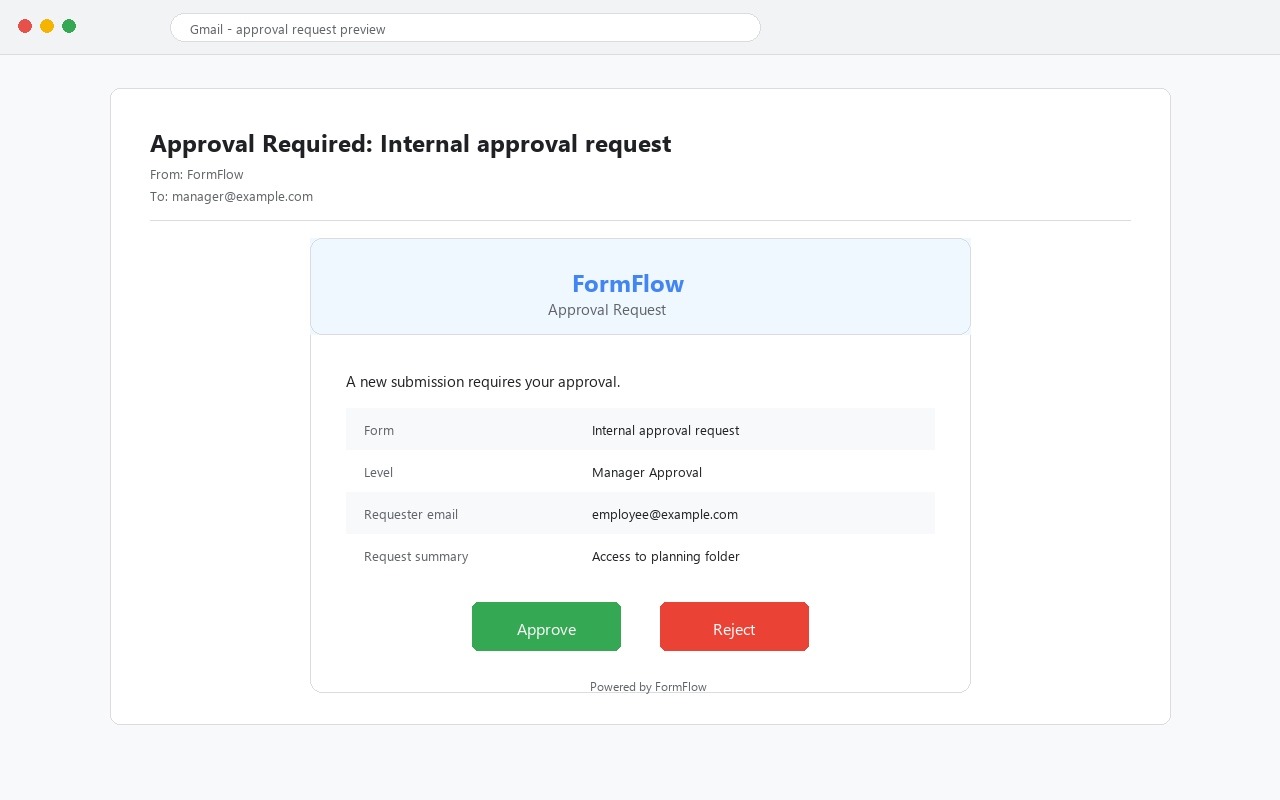
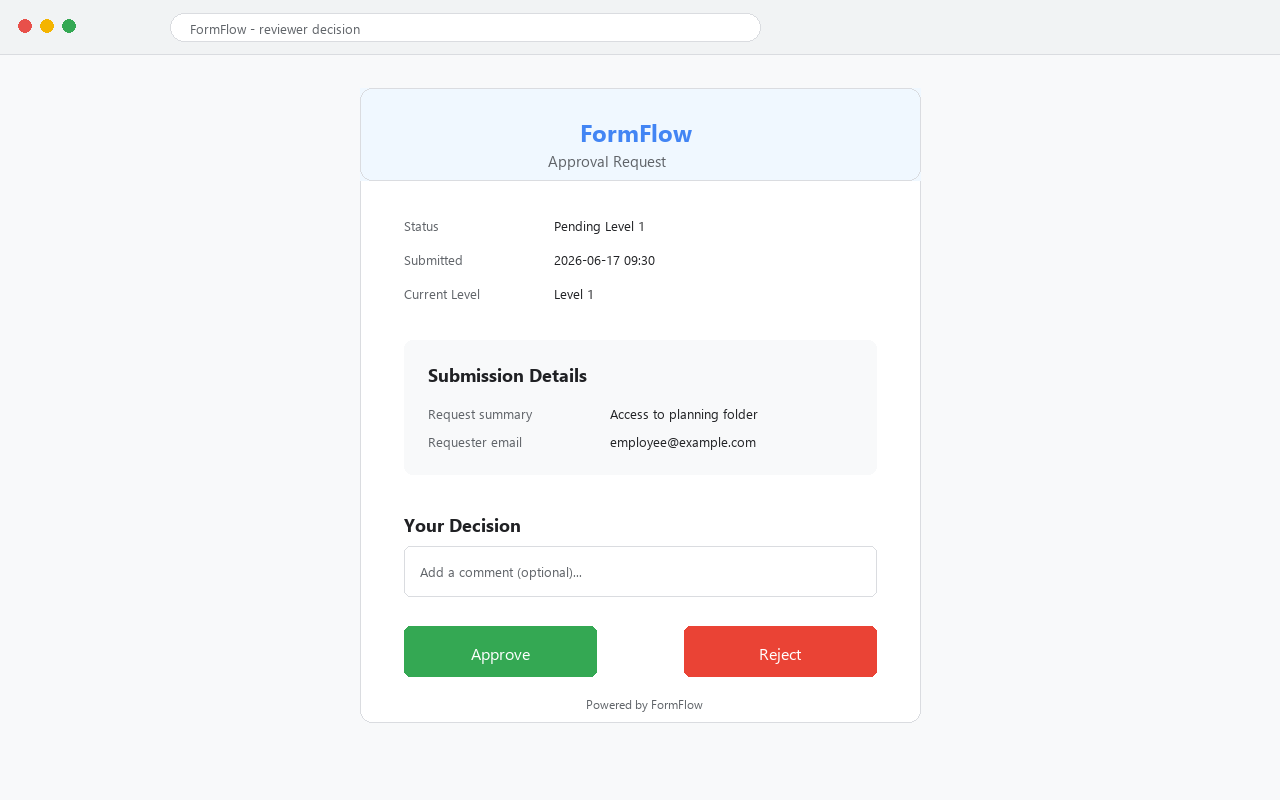
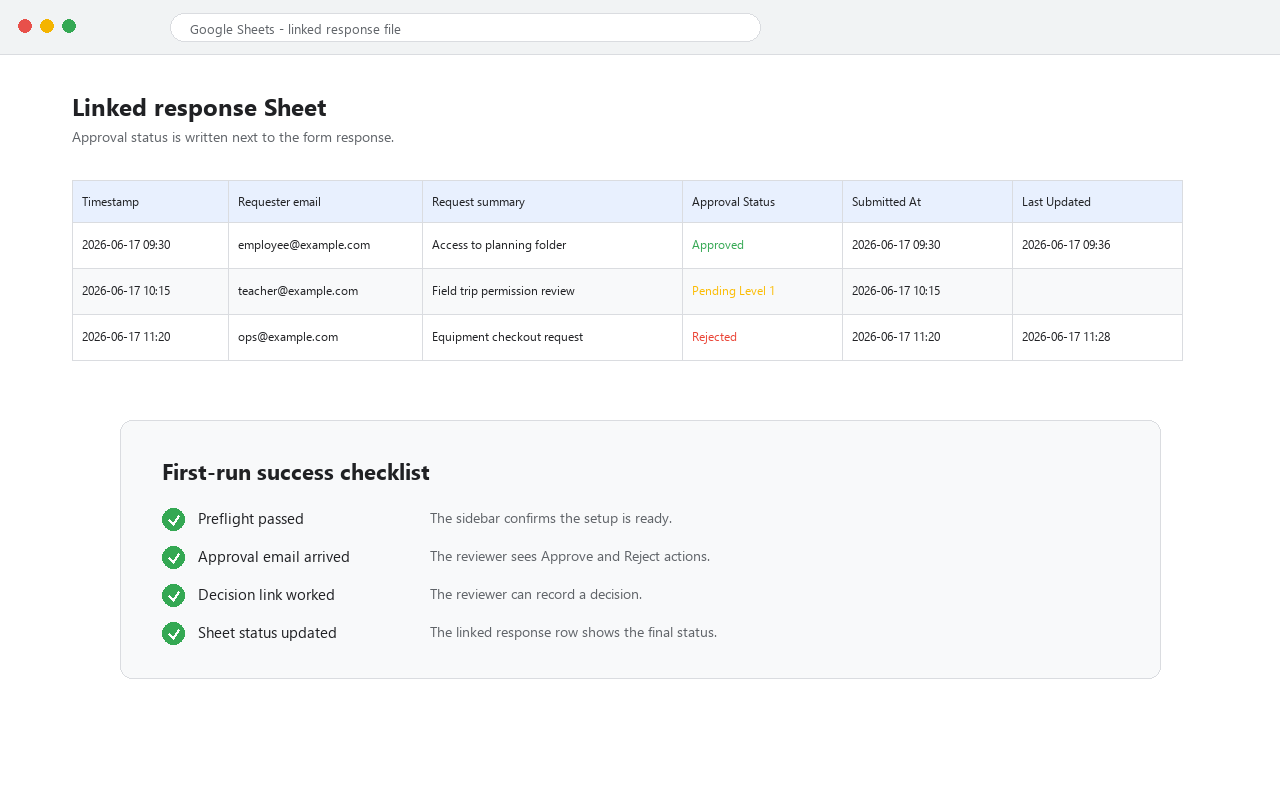
Use the screens below as proof points for one small first-run test. If a user cannot reach one of these states, send support evidence before asking for a review.
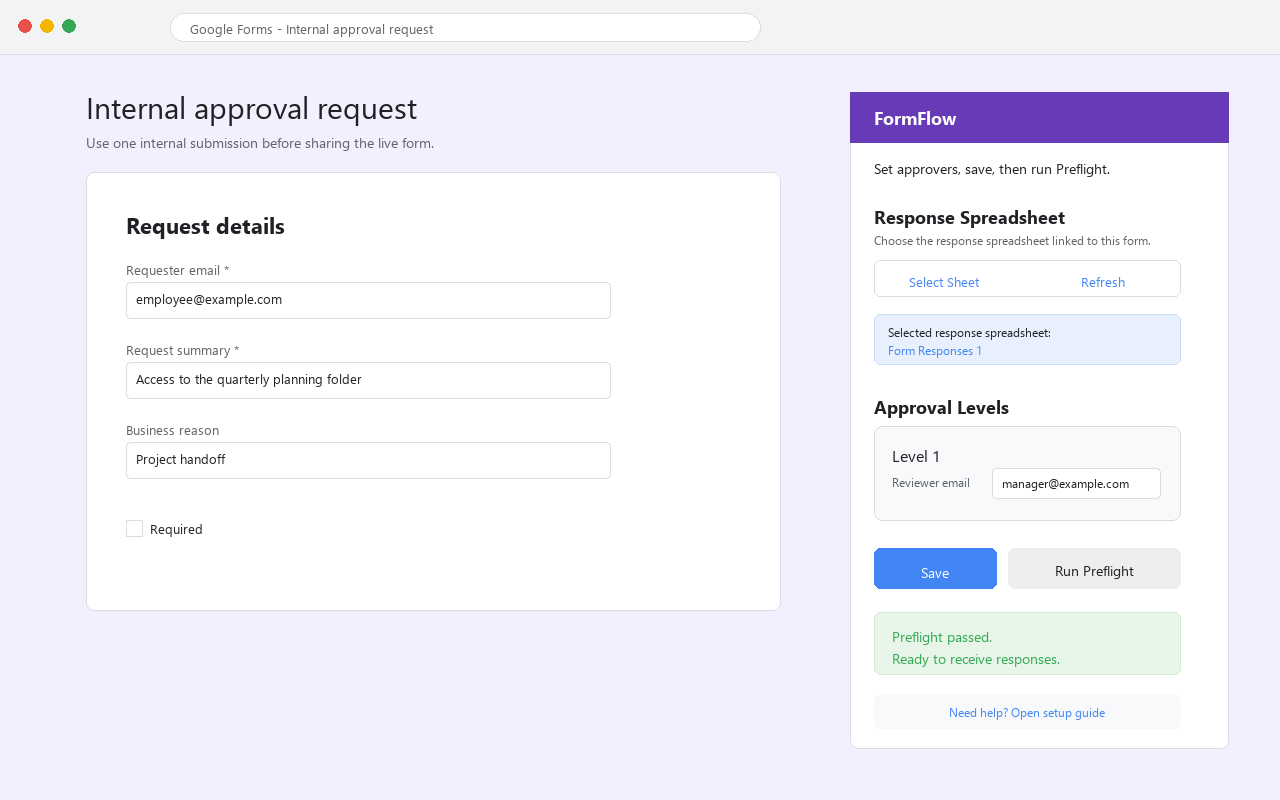
Collect enough context for a reviewer to know who made the request and where the result should go.
Ask for the item, amount, date, reason, or document that the reviewer needs to approve or reject.
Start with one approver first. Add more routing only after the first approval path works reliably.
Keep the response sheet as the operational record so support can diagnose status and email issues.
Confirm the linked response Sheet, saved approver email, and form-to-sheet connection before submitting another response.
Check the approver address, spam folder, Workspace mail rules, and whether Preflight reported any send-mail warning.
Ask the reviewer to use the intended Google account. Multi-account browsers can make decision links look broken.
Confirm the selected response spreadsheet is linked to the exact form submission being tested.
Yes, but Google Forms alone only collects submissions. FormFlow adds reviewer emails, approve/reject decisions, and linked-sheet approval status.
No. Start with one internal test response so you can confirm email delivery, decision links, and status tracking before launch.
Ask only after Preflight passes, the reviewer email arrives, the approve or reject link works, and the linked Sheet status updates. If anything is unclear, send support context first.
No. It is a lightweight Google Forms approval path, not a procurement, expense, ticketing, CRM, legal, or compliance suite.
Collect requester identity, request details, decision context, and a linked response Sheet. Keep the first version simple enough to test with one reviewer.