Good first workflow
One form, one approver
Use a copied or internal form and one reviewer email. Add complexity only after the basic approval chain works.
Use a copied or internal Google Form, select the linked response sheet, add one approver, run Preflight, submit one response, and confirm the reviewer email plus Sheet status. External-owner decisions may take approximately one minute to appear in the linked Sheet.
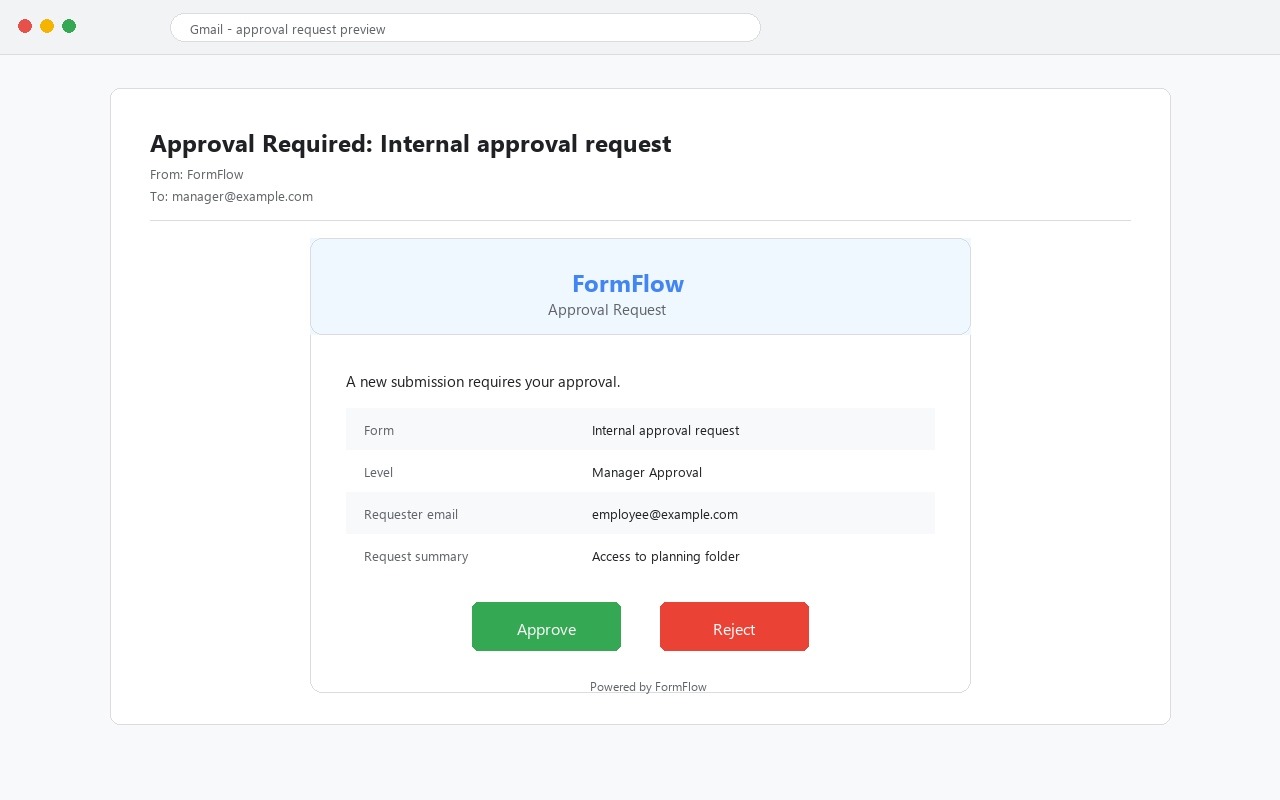
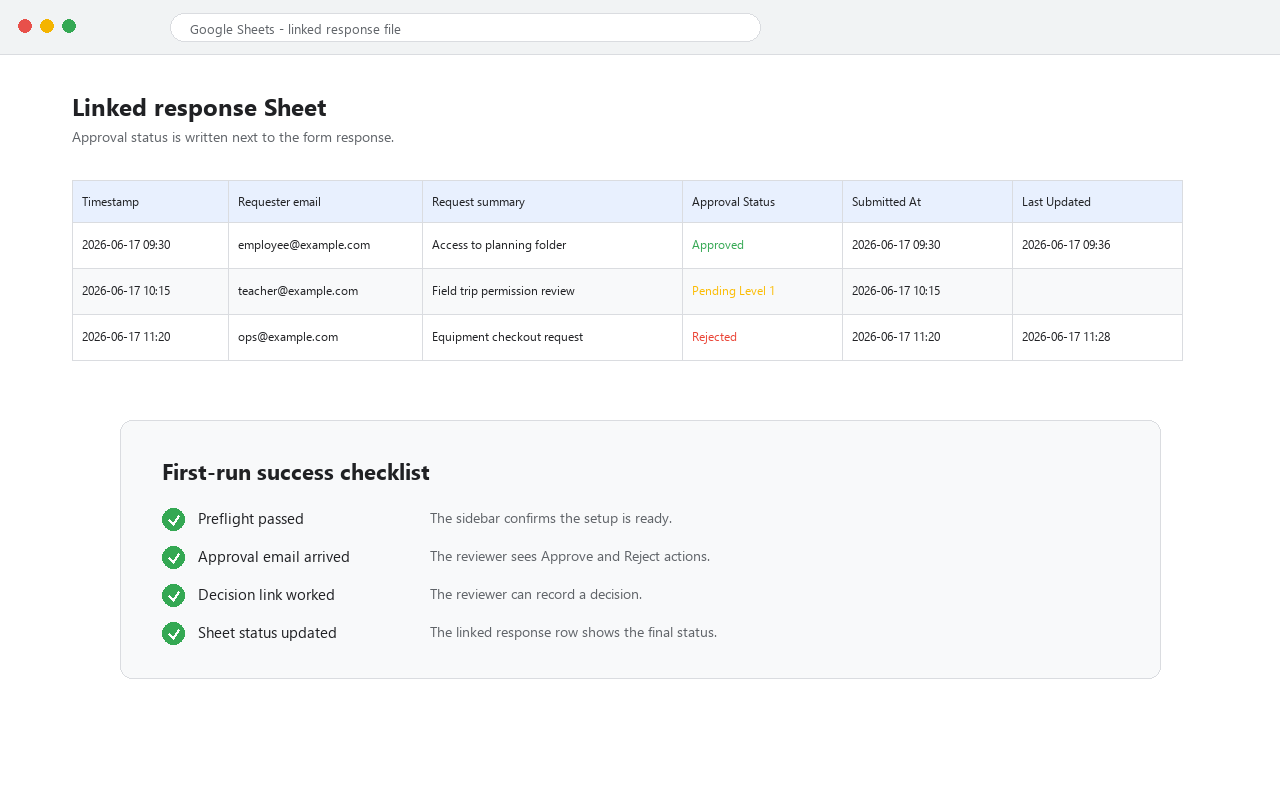
The test passes when Preflight succeeds, the reviewer email arrives, the approver can approve or reject, and the linked Google Sheet shows the expected approval status. Allow approximately one minute and refresh the Sheet after an external-owner decision.
For a lightweight Google Forms approval add-on, the first real success is not a complex workflow. It is one internal request proving the full chain: linked response Sheet selected, reviewer email delivered, decision link works, and status writes back. This is the check that turns a silent failed install into a diagnosable setup issue.
Use a copied or internal form and one reviewer email. Add complexity only after the basic approval chain works.
Do not start with several approvers, real money, compliance routing, or live respondents before the first chain is proven.
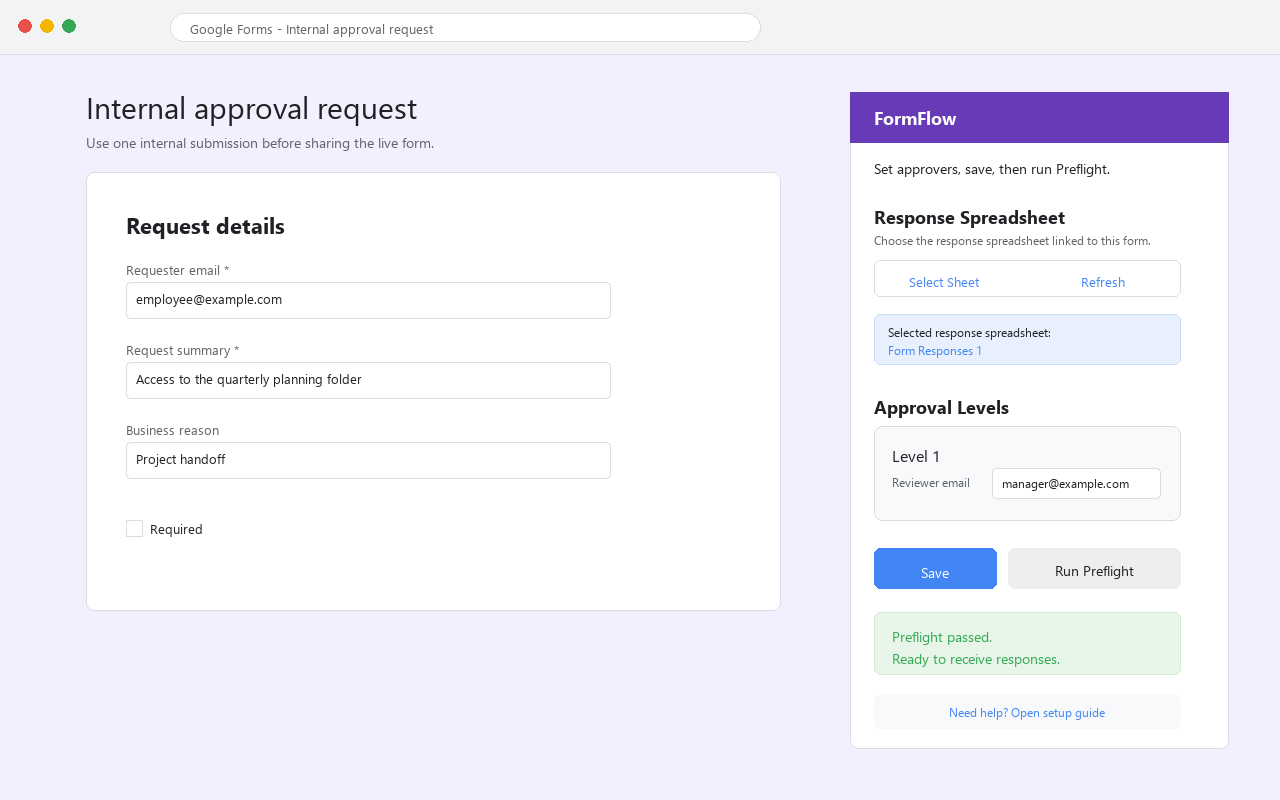
The selected spreadsheet should be the form's linked response sheet, not a duplicate or stale test sheet.
Check the inbox and spam folder for the internal approver account before adding more reviewers.
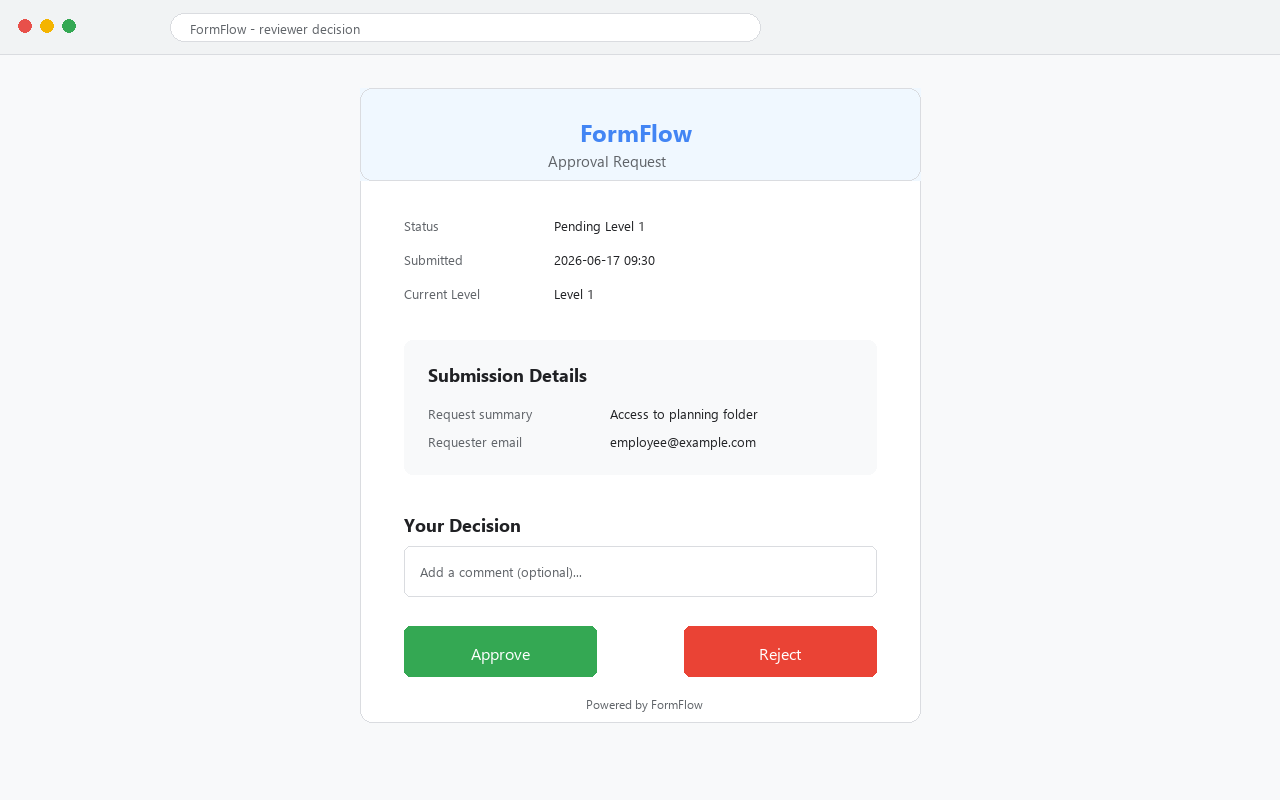
The reviewer should be able to open the decision page and submit one approval or rejection.
The linked response Sheet should show the final decision state so the operator can audit what happened. External-owner write-backs can take approximately one minute.
Re-check linked Sheet access, saved approver email, and the form-to-sheet connection before submitting another response.
Confirm the approver address is internal and valid, then check spam and Workspace mail restrictions.
Use the same Google account as the intended reviewer and send the exact screenshot to support.
Allow approximately one minute and refresh the Sheet. Then confirm the selected response Sheet is connected to the tested Form. If an old email shows “Requested entity was not found,” save the FormFlow configuration once and submit a new test response.
A useful setup note should name the exact step where the chain stopped. That makes it possible to separate Marketplace install issues, Google account issues, mail delivery issues, decision-link issues, and linked Sheet status issues.
| Failed step | Evidence to send | Likely next action |
|---|---|---|
| Cannot select Sheet | Form URL, response Sheet name, and sidebar screenshot. | Confirm the form is linked to a response spreadsheet. |
| Preflight warning | Exact Preflight text and saved approver address. | Fix configuration before submitting a new response. |
| Email missing | Approver address, inbox/spam check, and Workspace mail context. | Check delivery and send-mail readiness. |
| Status not updated | Decision page result and linked Sheet screenshot. | Confirm the selected Sheet belongs to the tested form. |
Yes. Use an internal test response. The first-run proof should happen before real respondents use the approval form.
One Google Form, one linked response Sheet, one approver email, one test submission, and one approve or reject decision.
After the one-approver test passes. Multi-reviewer routing is harder to debug if the basic chain is not proven first.
Only after Preflight, reviewer email, decision link, and linked Sheet status all work for your test.
If Preflight passes, the reviewer email arrives, the approve or reject link works, and the linked Sheet status updates, you can move the workflow toward production or leave an honest Marketplace review. If any step is unclear, use support first.