Google Forms dropdown from Google Sheets without Apps Script
FormSuite Choice Sync lets you update a Google Forms dropdown from a selected Google Sheets column without writing or maintaining Apps Script.
Quick answer
Google Forms does not natively link a dropdown to a Sheets range. For rare updates, paste choices manually. For repeatable no-code updates, use FormSuite Choice Sync.
Why people avoid Apps Script here
Apps Script can update a Google Forms dropdown from a Sheet, but it adds hidden maintenance work: form IDs, item IDs, triggers, authorization, error handling, and someone responsible when Google permissions or the form structure changes. If the user is a form owner rather than a developer, a no-code sidebar workflow is usually easier to operate.
Someone must maintain trigger timing, source range logic, duplicate handling, and what happens when the form is copied.
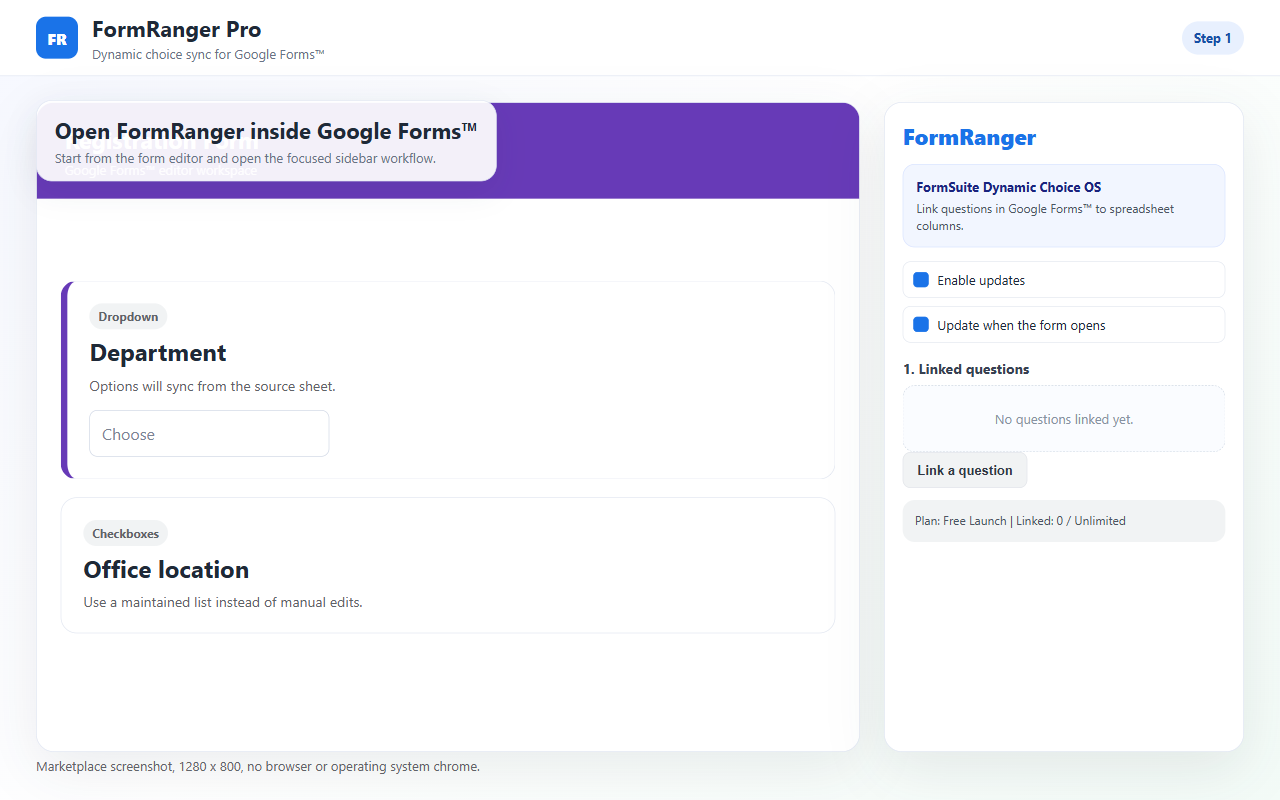
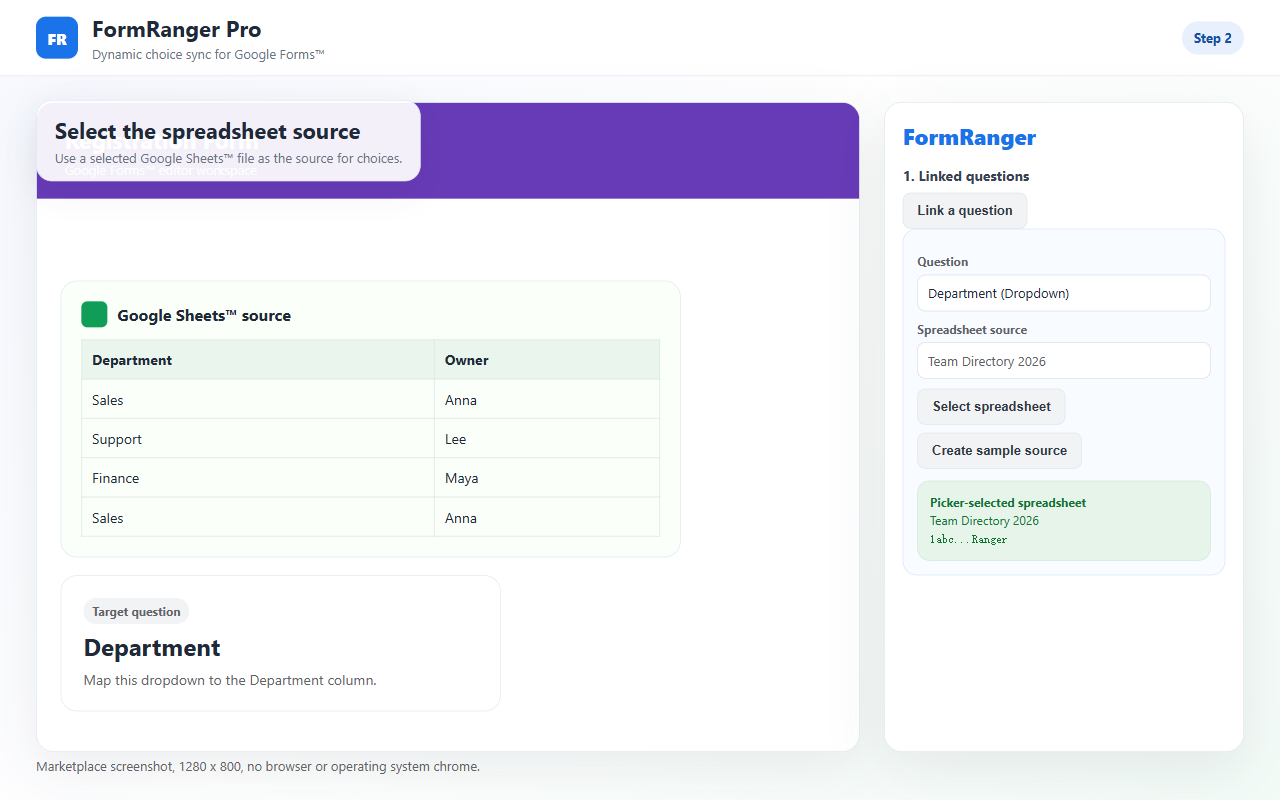
FormSuite Choice Sync keeps the workflow visible: select a source, map a question, run Preflight, update, and preview.
First-run path
- Put valid choices in one Sheets column.
- Create a copied form with one dropdown.
- Install FormSuite Choice Sync and select the spreadsheet.
- Map the dropdown, run Preflight, then Update now.
- Confirm the public preview shows the sheet values.
No-code setup screenshots
Choose the right path
Best when the list rarely changes and there is no need to prove a repeatable update path.
Best when Sheets is the source and the form needs repeatable owner-controlled refreshes.
Best only when someone owns the code, triggers, authorization, and future debugging.
Better for live dependent filtering, payments, bookings, inventory locks, or respondent-time logic.
What no-code still requires
No-code does not mean no checks. The form owner still needs a clean source column, a supported question type, a successful Preflight result, and a public preview check after each update.
| Check | What to look for | What to do if wrong |
|---|---|---|
| Source column | One clean list with a stable header. | Clean blanks, duplicates, and helper-column noise. |
| Question type | Dropdown, multiple choice, checkbox, or grid choice question. | Use a supported question or simplify the form. |
| Preflight | File, tab, column, and question mapping pass. | Fix warnings before clicking Update now. |
| Public preview | Respondent view shows the Sheet values. | Re-check mapping and update result before sharing. |
No-code checklist
A clean header, no blank-only values, and obvious test values make Preflight easier to trust.
Run updates from the add-on sidebar before sharing the form or after temporarily pausing responses.
Open the respondent view after each update; the form editor is not the final proof.
Use Apps Script only if you truly need custom triggers, transformations, or non-standard logic.
What you are avoiding by not writing code
A custom Apps Script solution usually needs to store the form ID, find the target item, read a range, convert values into choices, decide what to do with blanks and duplicates, and run under an authorized account. That can be fine for a developer-owned workflow, but it is fragile for a non-technical form owner who mainly wants the dropdown to match a Sheet before launch.
Scripts often break when a form or question is copied because the stored IDs no longer point at the new object.
Scheduled or installable triggers depend on the account that created them and can fail when ownership or permissions change.
When code fails, the form owner may not know whether the source range, authorization, or question ID caused it.
Even without code, the final check stays the same: open the respondent preview and confirm the dropdown shows the Sheet values.
Boundary
Do not treat a visible dropdown option as a reserved seat or guaranteed availability. FormSuite Choice Sync updates choices; it does not lock resources while respondents answer. Test first.
FAQ
Can I do this without writing Apps Script?
Yes. Use a no-code add-on workflow if you want to select a Sheets source and update supported Google Forms choices from the sidebar.
When should I still use Apps Script?
Use Apps Script when you need custom transformations, scheduled triggers, or logic that a form owner is willing to maintain as code.
Does FormSuite Choice Sync automatically update every second?
No. Treat it as an owner-controlled choice update workflow. Run updates before sharing the form or after changing the source list.
Can it replace a booking app?
No. A no-code dropdown update is not a booking, payment, inventory, or reservation system.
Next step
Use the no-code path on a copied form first. After Preflight passes, Update now reports a changed question, and the public preview shows the Sheets values, use the review checklist or support path based on the result.