Google Forms add-on

Turn form submissions into approval workflows your team can actually operate.

FormFlow is a Google Forms add-on for teams that need more than a raw response spreadsheet. It routes submissions into approval steps, sends the right emails, and writes status back to the linked response sheet so the workflow stays visible and auditable. The buying story is simple: start with one approval queue, prove the workflow, then expand only if the team actually uses it.

Best fit Leave requests, access approvals, internal intake forms, and any Google Form that needs structured review before action.
Main layers Approval routing, email notifications, linked response-sheet status tracking, and approval state updates.
Where it runs Configured from the Google Forms editor, with the linked spreadsheet used as the workflow record.

Core features

FormFlow is built for teams that need to keep the submission surface simple while adding a real approval process behind it.

Multi-step approval routing

Set approver levels so submissions move through the right people in the right order.

Email-driven approvals

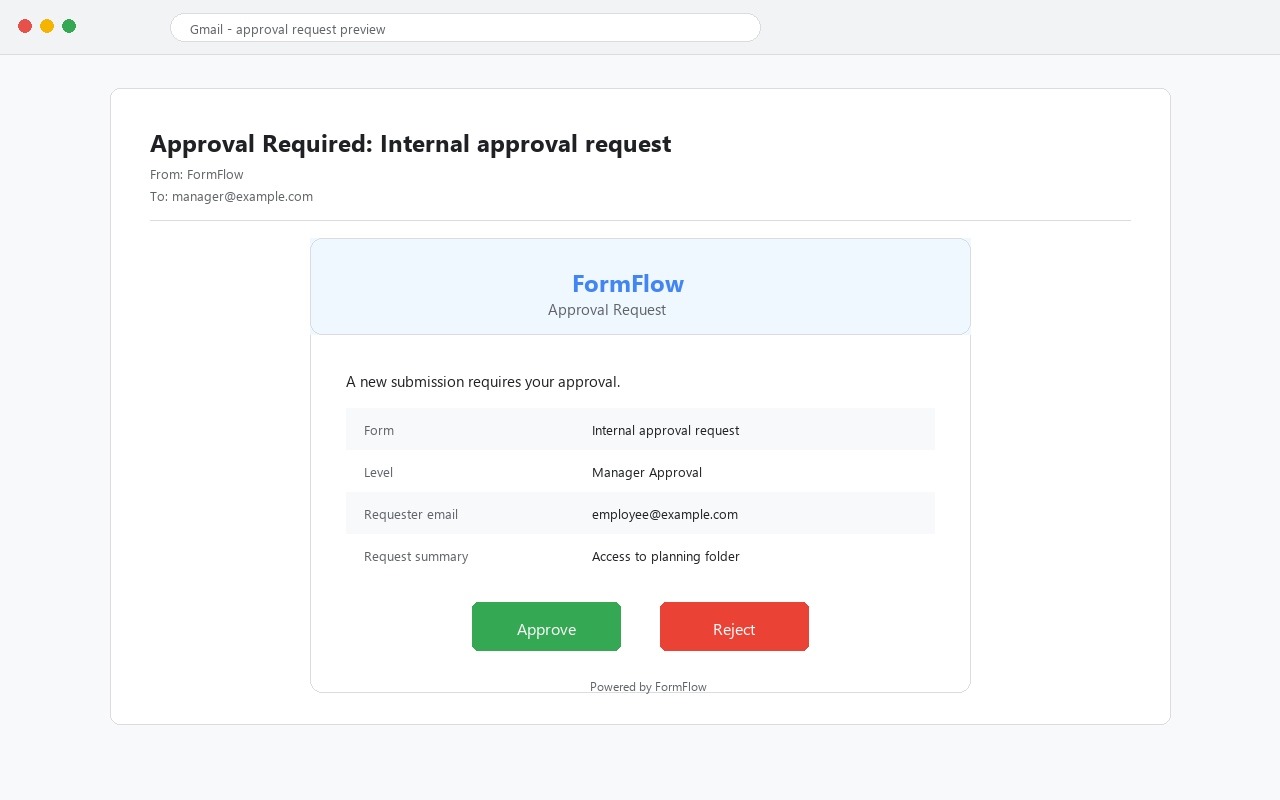
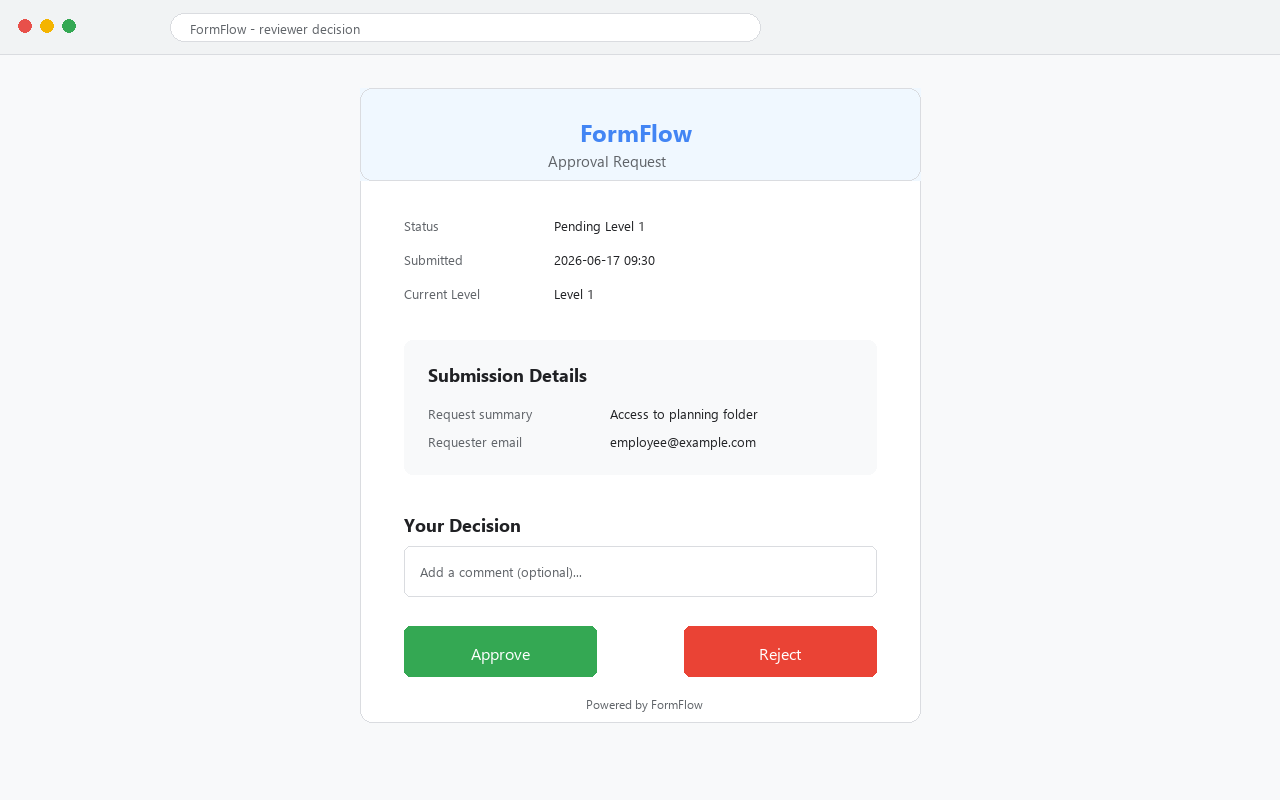
Send approval notifications and keep reviewers moving without forcing them into another internal tool.

Response-sheet status tracking

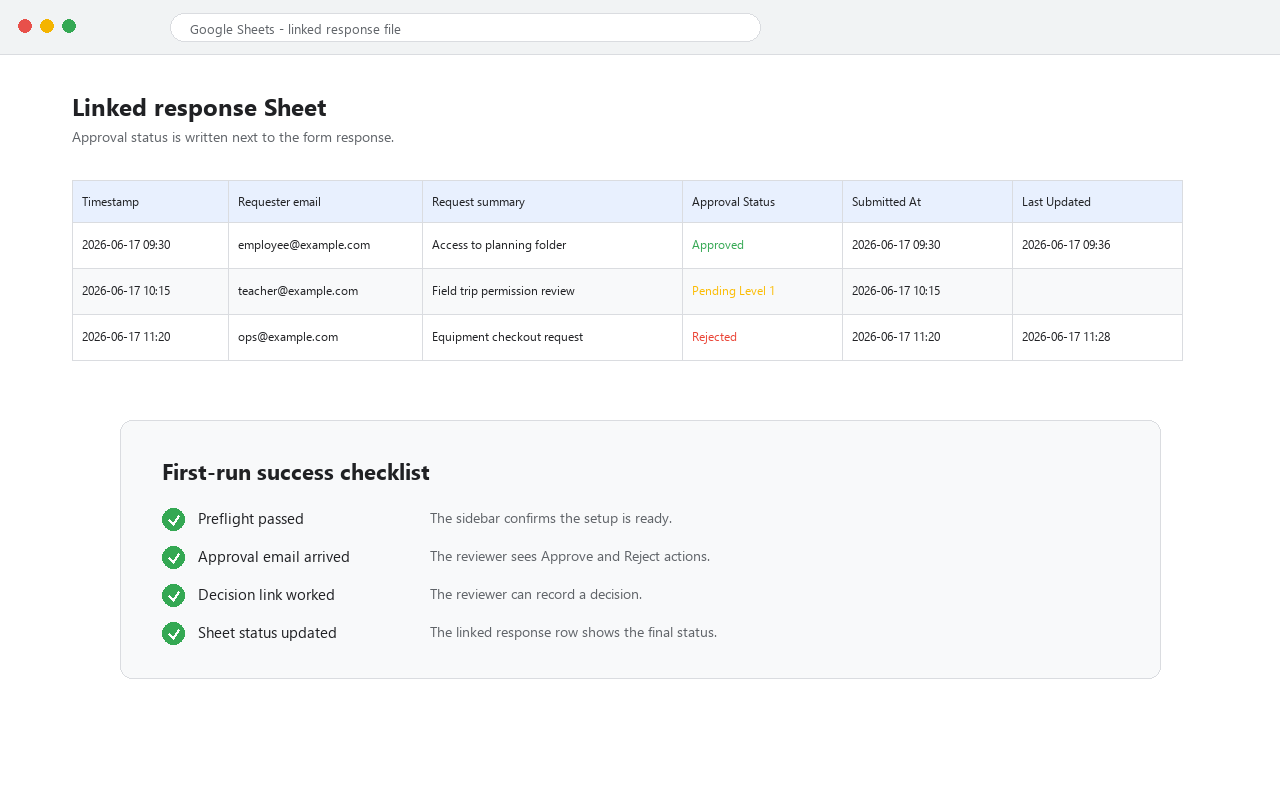
Use the linked Google Sheets response file as the source of truth for workflow status and audit visibility.

Preflight before launch

Check the workflow configuration before it goes live so setup mistakes are caught earlier.

Quick start

A clear path for reviewers and operators.

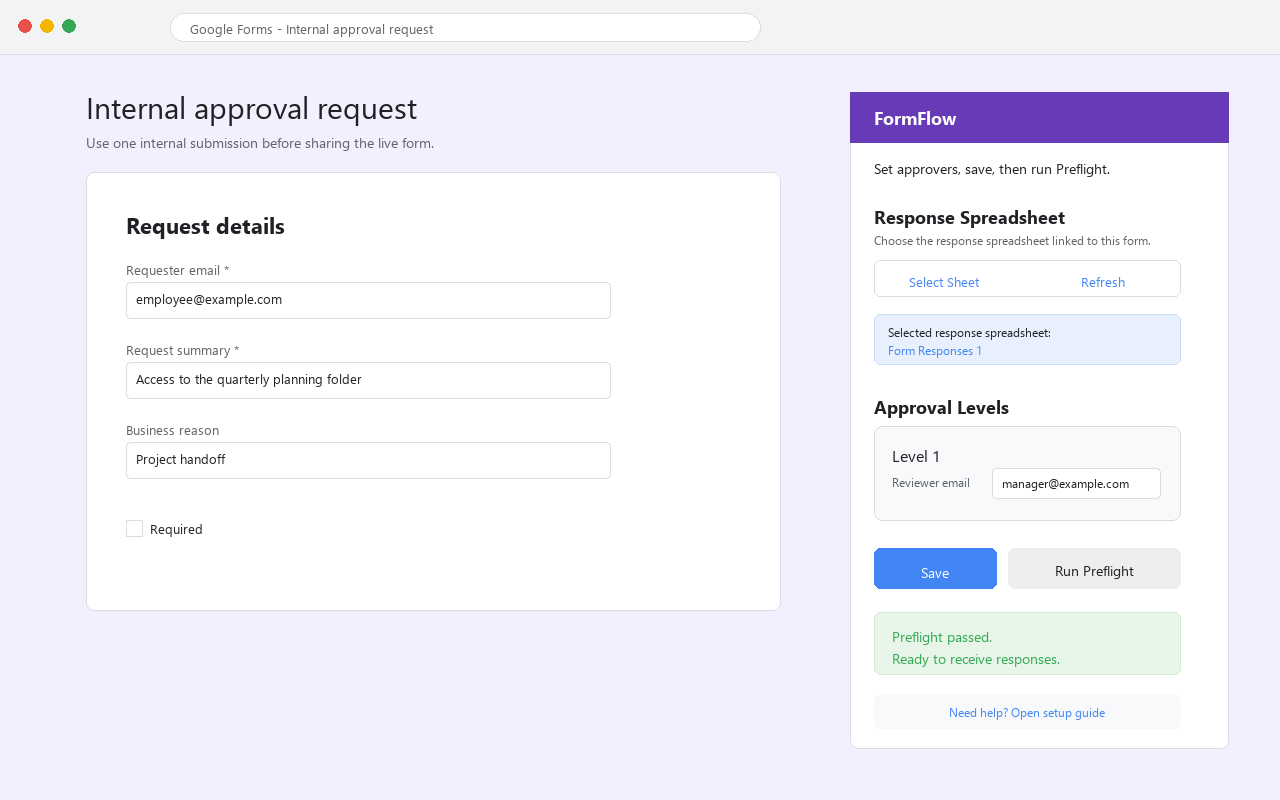
  1. Open your Google Form and launch FormFlow from the Extensions menu.
  2. Configure the approval steps and assign the approver email addresses.
  3. Save the configuration and run preflight before sending traffic through the form.
  4. Track the resulting workflow state in the linked Google Sheets response file.

How to buy FormFlow

Do not overcomplicate the first sale. Start with one approval process that already exists, show the before and after, then decide whether the workflow deserves broader rollout.

Self-serve annual plan

Best when the team already knows how to manage Google Forms and only needs the approval layer. Planned public price: $29 per year.

FormFlow AI pilot

Best when the workflow needs help with setup, approval design, or rollout framing. Start with one form and one approver group.

Setup service

If the team wants the workflow configured for them, use the fixed Google Workspace automation setup package instead of a vague custom project.

Best first target

Procurement requests, HR approvals, budget reviews, admissions routing, and other operational forms that already have a review bottleneck.

Typical use cases

Operations requests

Route internal requests through manager or department approvals without building a separate portal.

HR and leave flows

Collect a request in Google Forms and move it through a defined approval chain.

Access and exception approvals

Use Forms as the intake point and the linked response sheet as the approval log.

Visible audit trail

Keep the workflow readable for operators because status changes are tied back to the spreadsheet record.

Google Forms, Google Sheets, and Google Workspace are trademarks of Google LLC. FormFlow is an independent add-on and is not affiliated with or endorsed by Google LLC.

Frequently asked questions

How is this different from Google Forms approvals?

FormFlow adds multi-step routing, email notifications, and spreadsheet tracking that native Forms doesn't have.

Can I try it for free?

Yes. FormFlow has a free tier with 20 approval runs per month.

Does it work with existing forms?

Yes. Install it on any Google Form and configure from the sidebar.

Ready to try?

Install FormFlow from the Google Workspace Marketplace (coming soon) or email us for early access.